Storyboard
Creator AI
The ultimate tool for directors, artists, and creators.
Turn one sentence into a full storyboard in seconds, with characters, locations and style that stay consistent from shot to shot.

How It Works
Describe your idea
Type one sentence or paste a full brief. Choose how many shots you want, from 8 to 40, and the image model that draws them.
Get a full storyboard
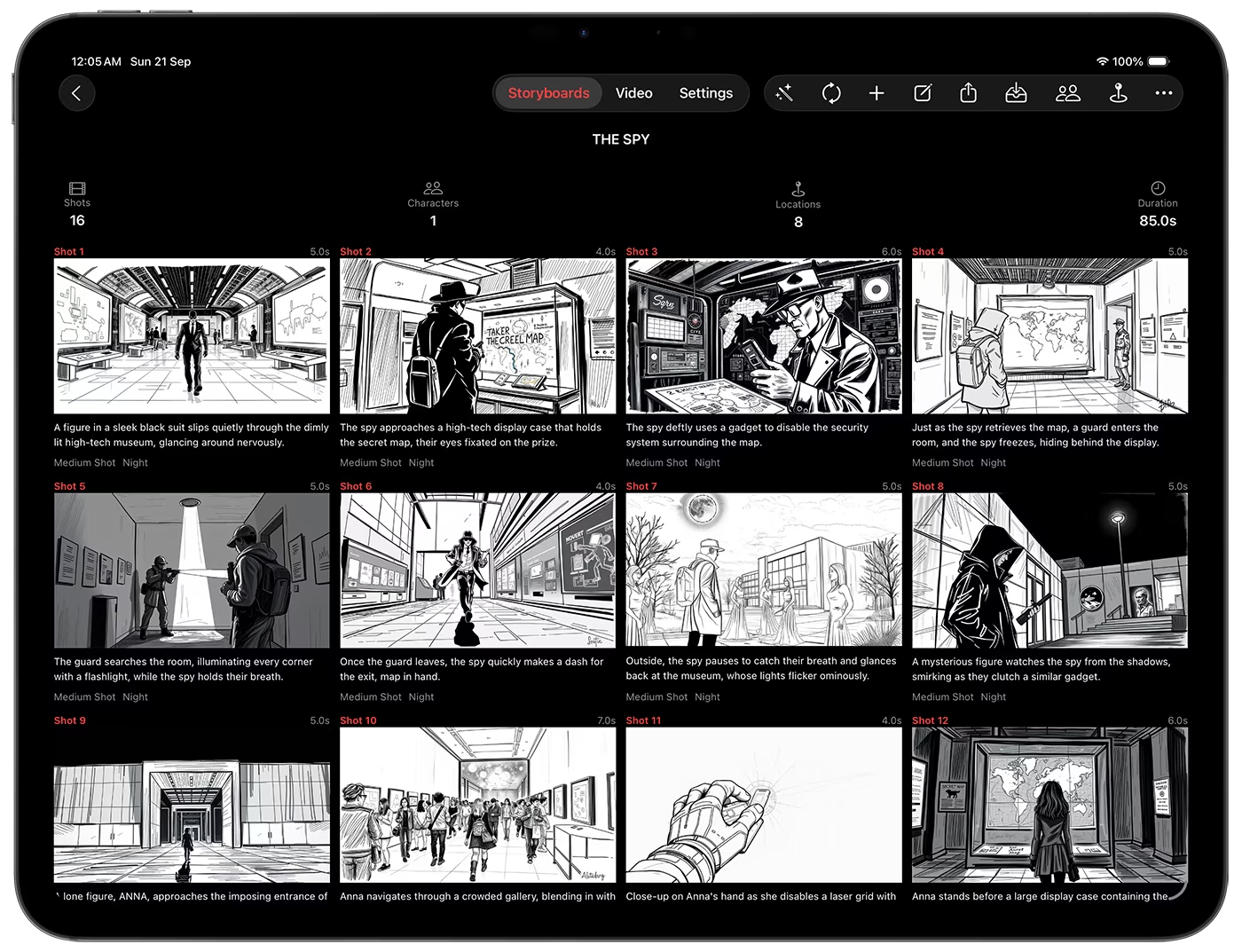
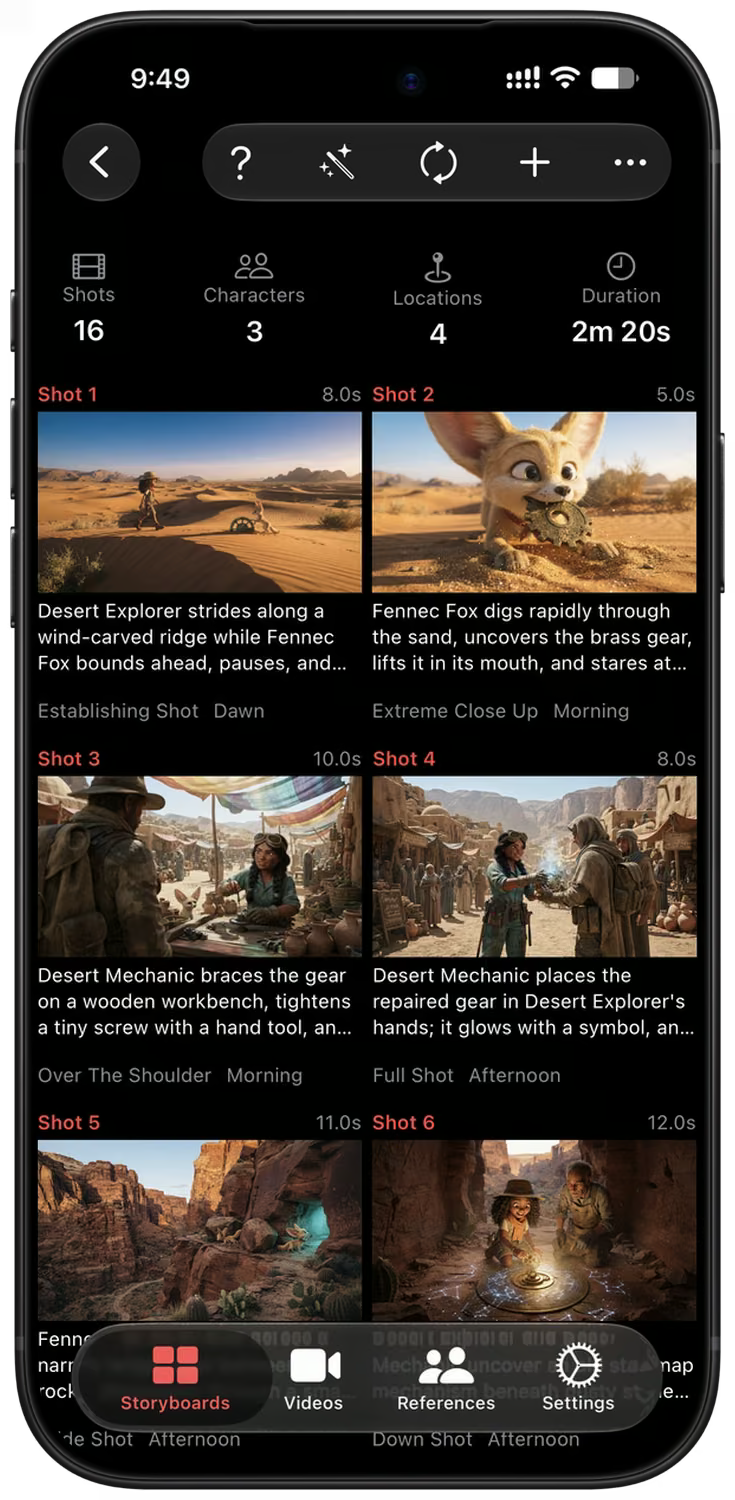
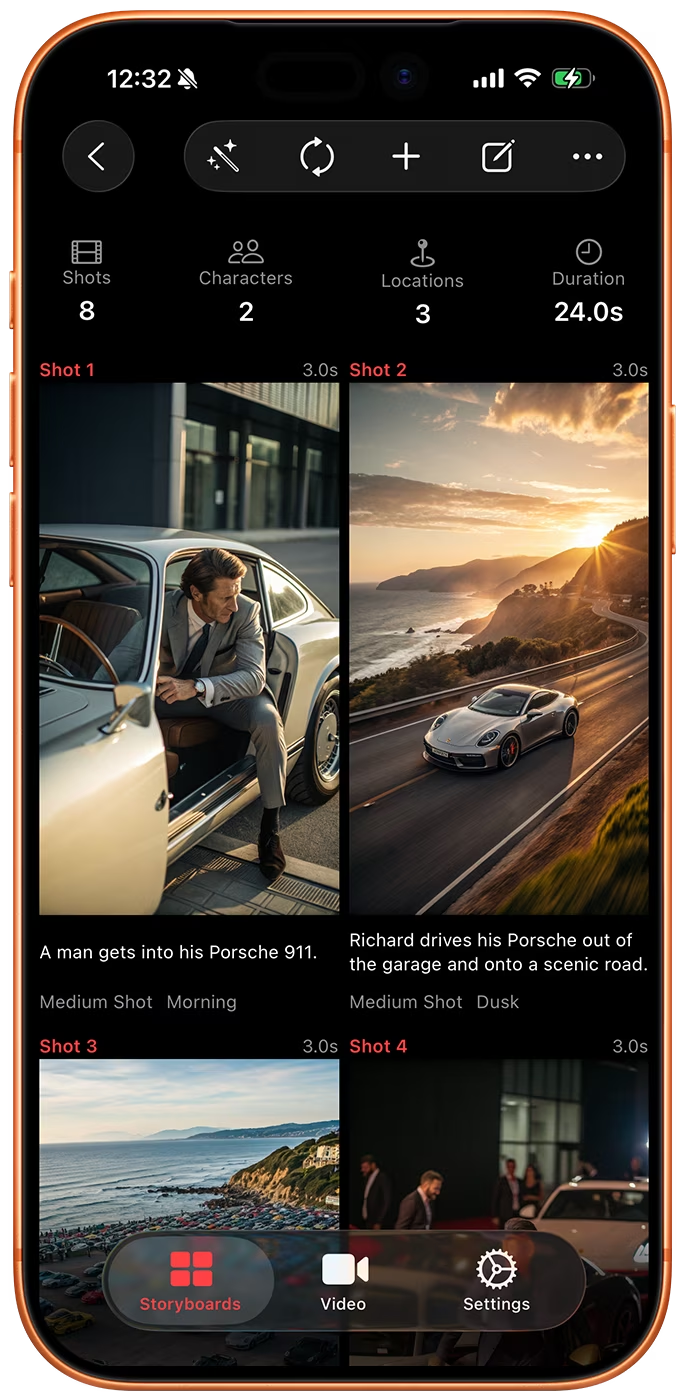
The app writes every shot with action, characters, location, lighting, camera angle and dialogue, then draws a frame for each one.
Refine, animate and export
Edit any shot in plain words, turn frames into video clips, and export a PDF, a screenplay or a ZIP with every asset.
From One Sentence to a Full Shot List
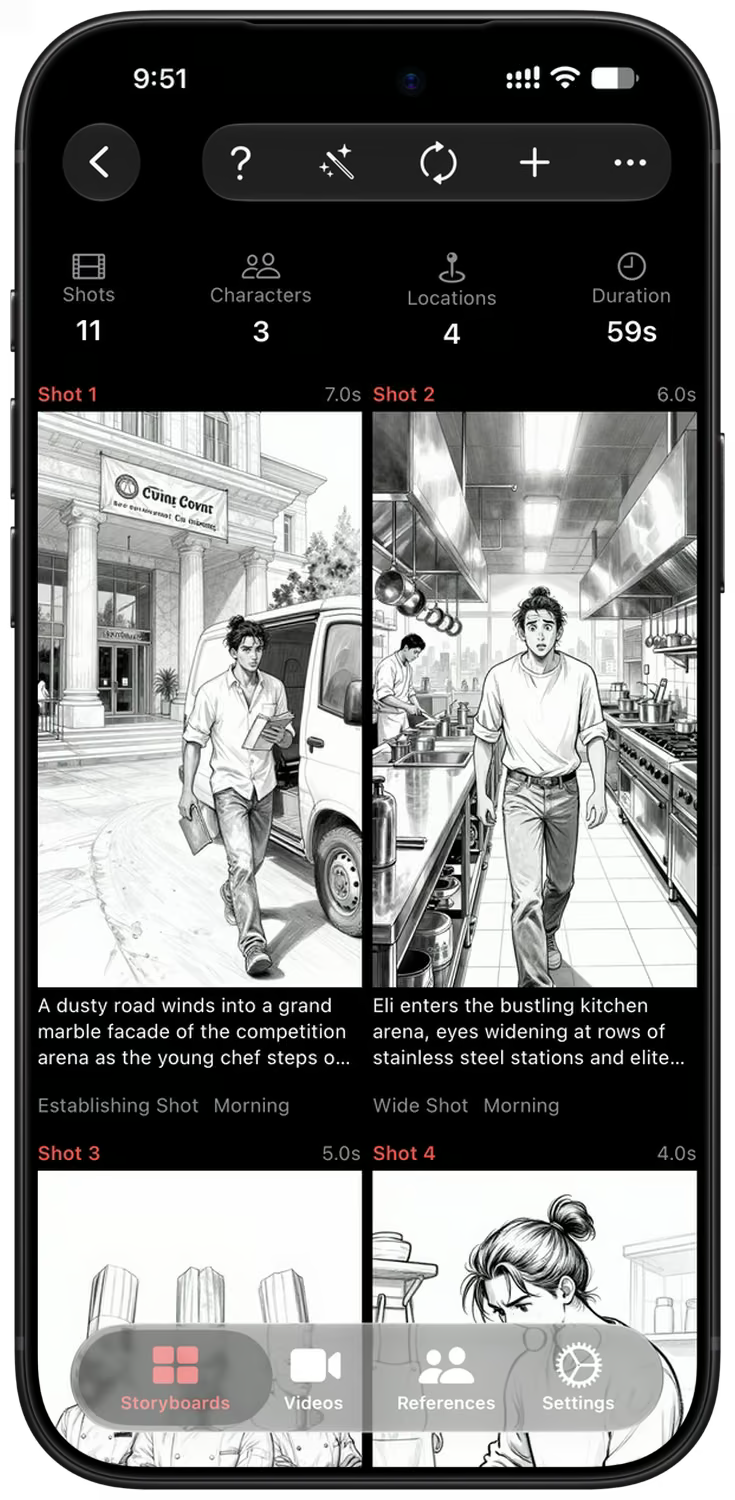
Write your story the way you would tell it to a friend. Storyboard Creator AI breaks it into shots and fills in the action, characters, location, time of day, lighting, camera angle and dialogue for each one.
Every shot gets its own frame in the style you choose: realistic, digital art or sketch, in 16:9, 9:16 or 1:1. Run it again to add more shots to the same storyboard.
Consistent Characters and Locations
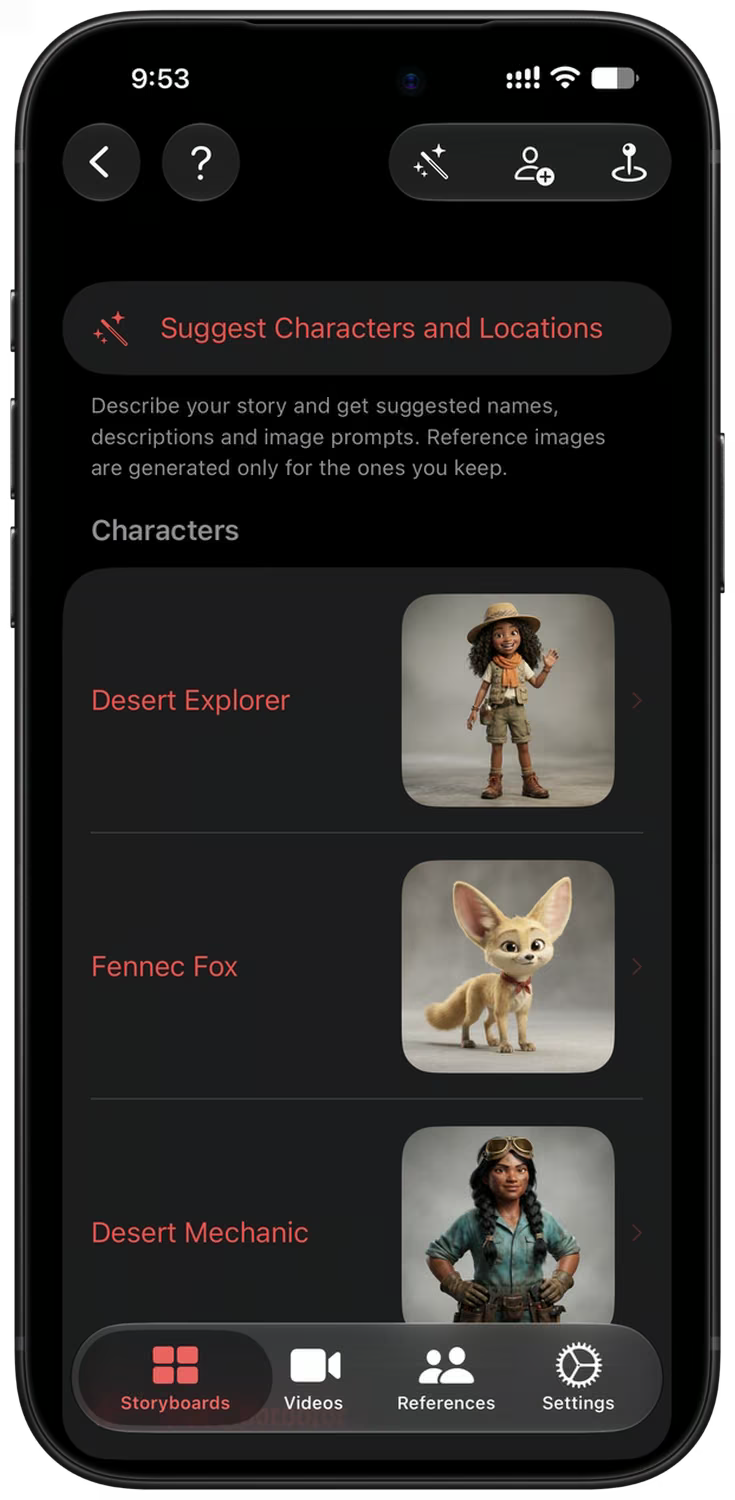
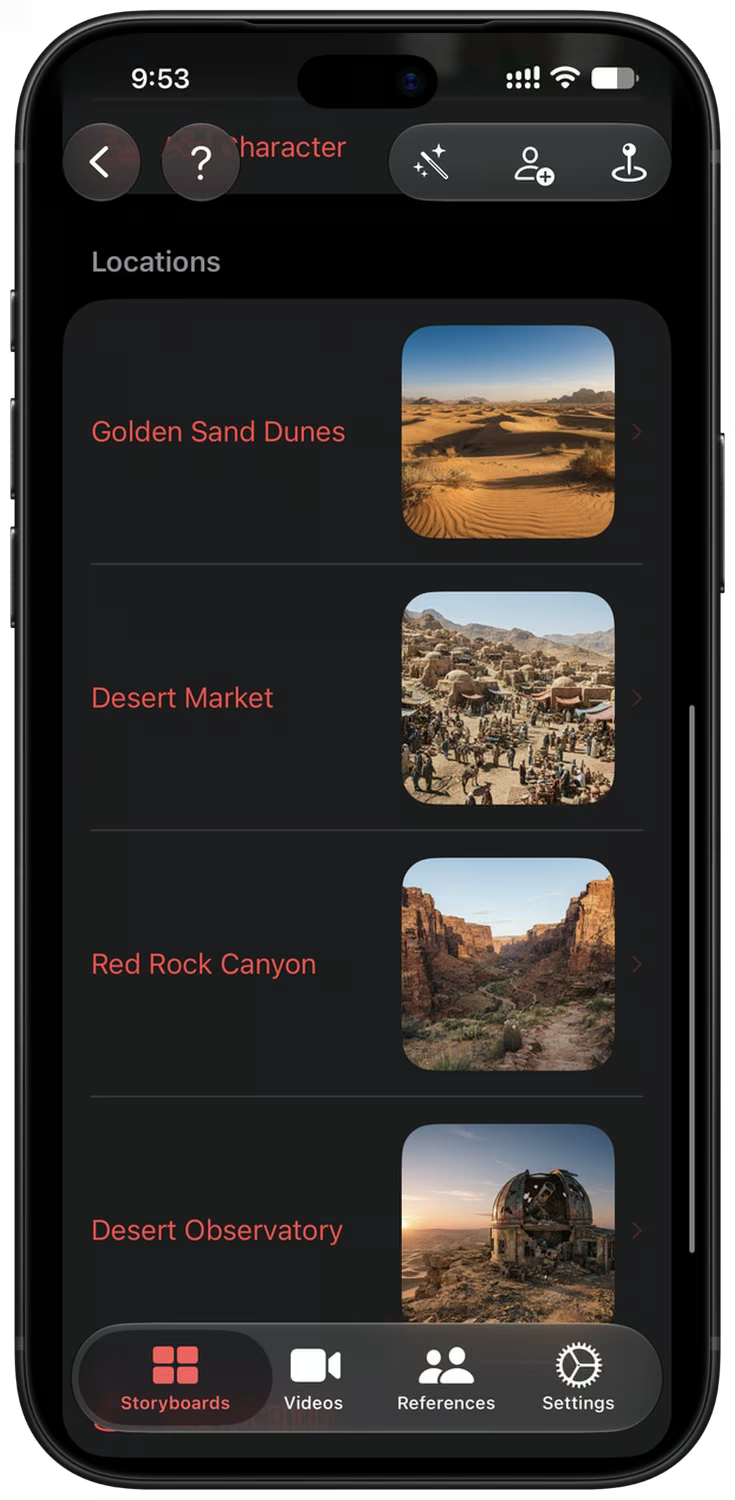
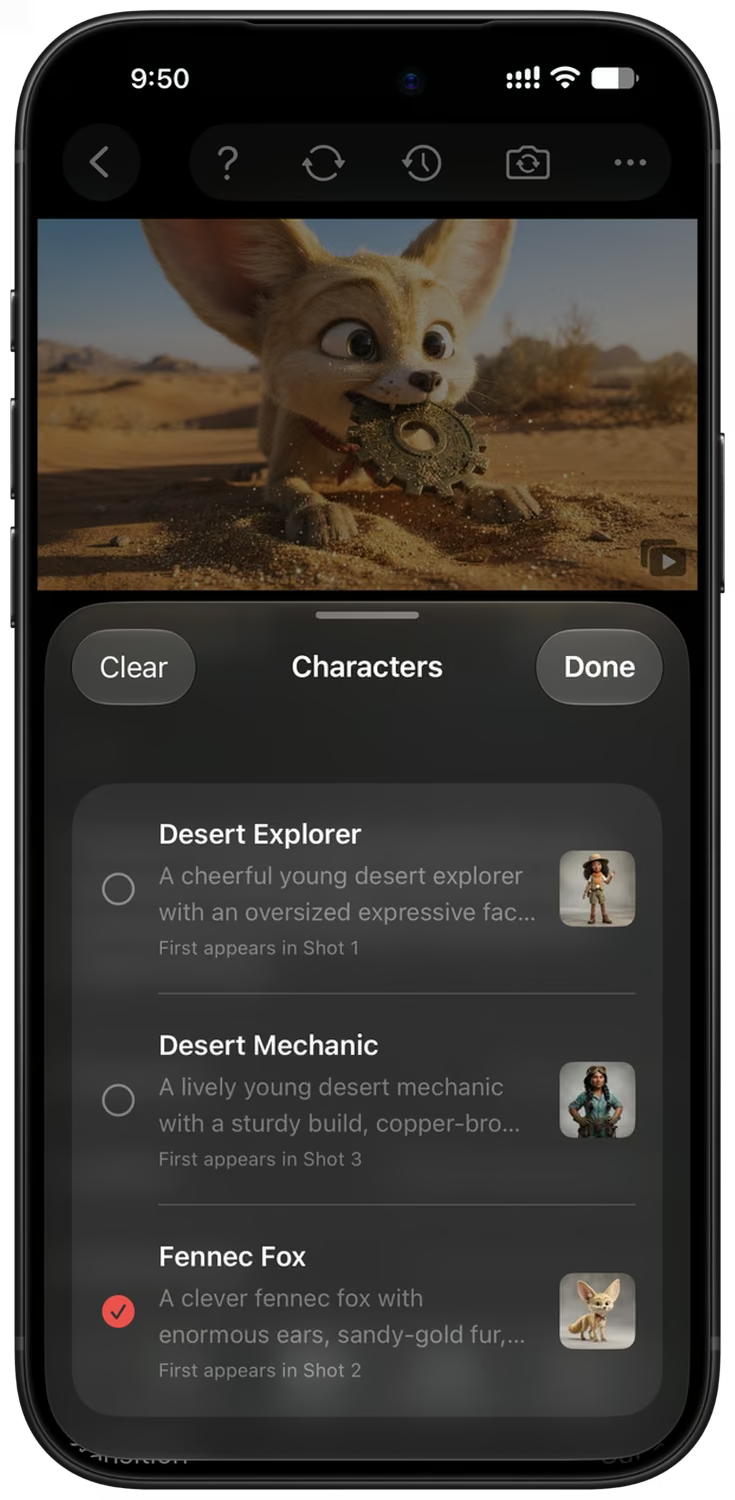
Describe your story and the app suggests the characters and locations it needs, with names, descriptions and reference images. Keep only the ones you like.
References go with every image prompt, so the same faces, outfits and places stay recognizable from the first shot to the last. Import your own photos, generate new ones, or pick from the curated library in the app.
Edit Any Shot in Plain Words
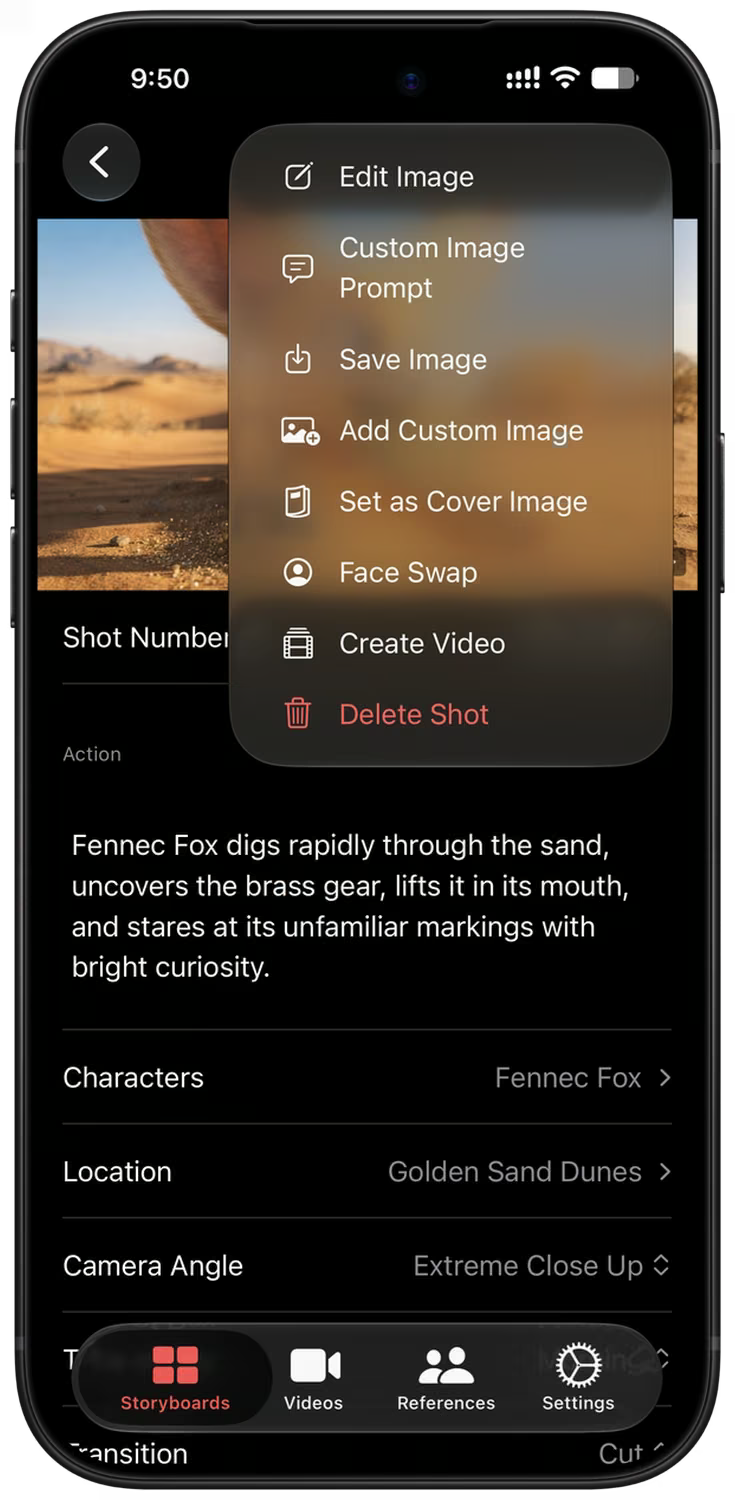
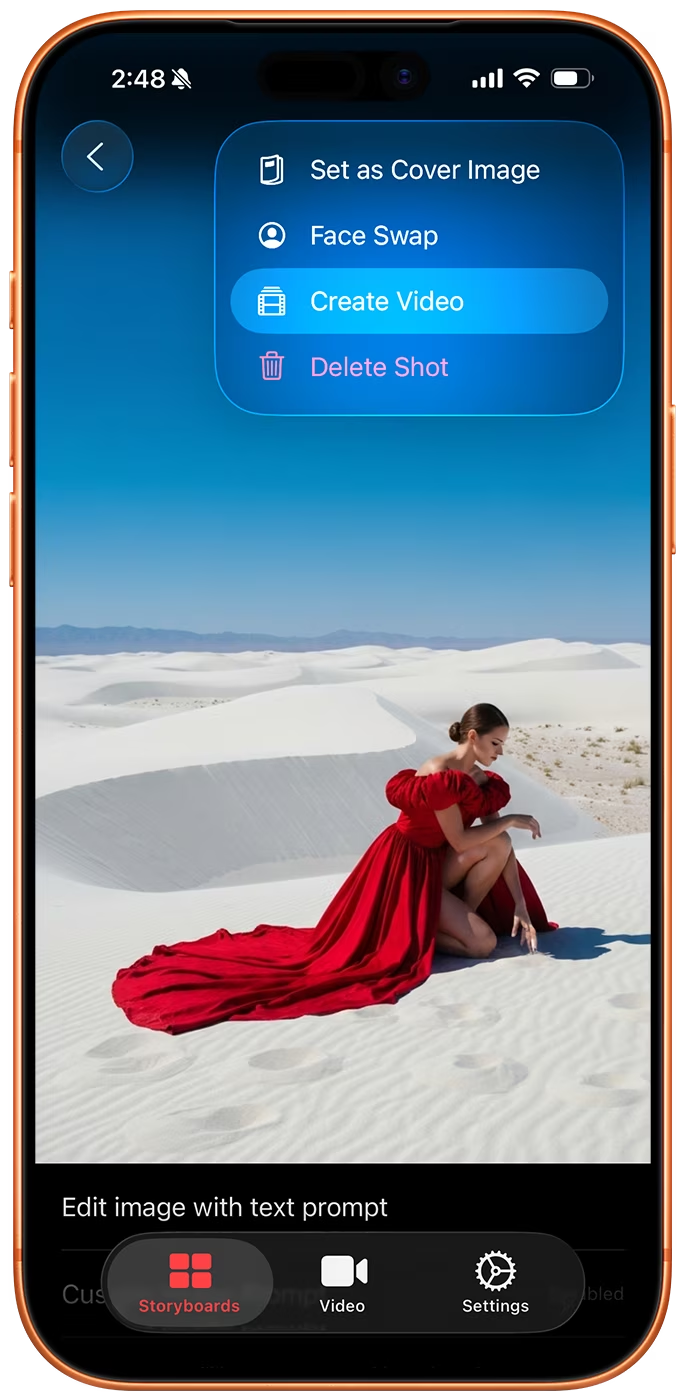
Open a shot to change any detail, write your own image prompt, or describe an edit such as "make it night" and get a new version of the frame.
Change the camera angle, swap a face, save the image, set it as the cover, or send the shot to the video queue, all from one menu.
AI Model, Aspect Ratio, & Style Selection
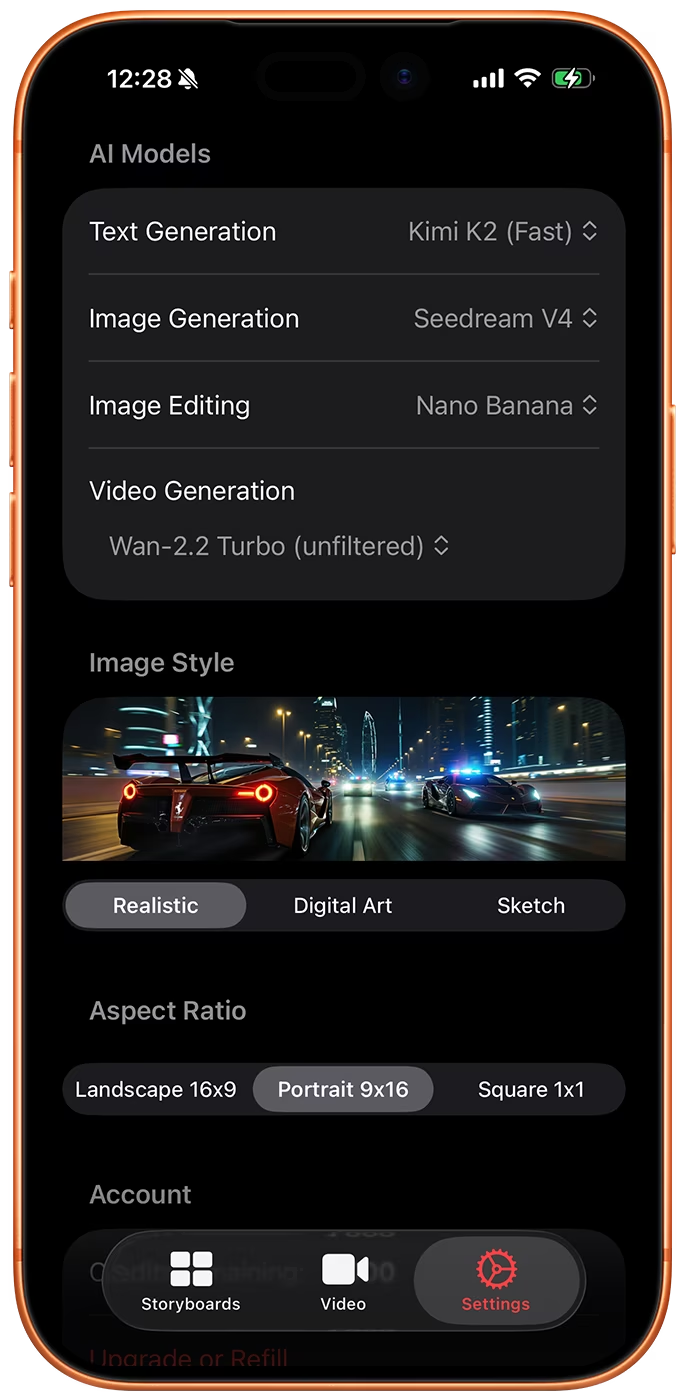
Storyboard Creator AI lets you pick the image model, the video model, the aspect ratio and the style for your storyboard. The model list keeps up with what ships, so you always draw with something current.
Image models include Nano Banana 2.1, GPT Image 2, Z-Image, Flux 2, Wan 2.7, Bria 3.2 and Google Imagen 4. Video comes from Google Omni 1.1 Flash and MiniMax H3.
Bulk Video Generation
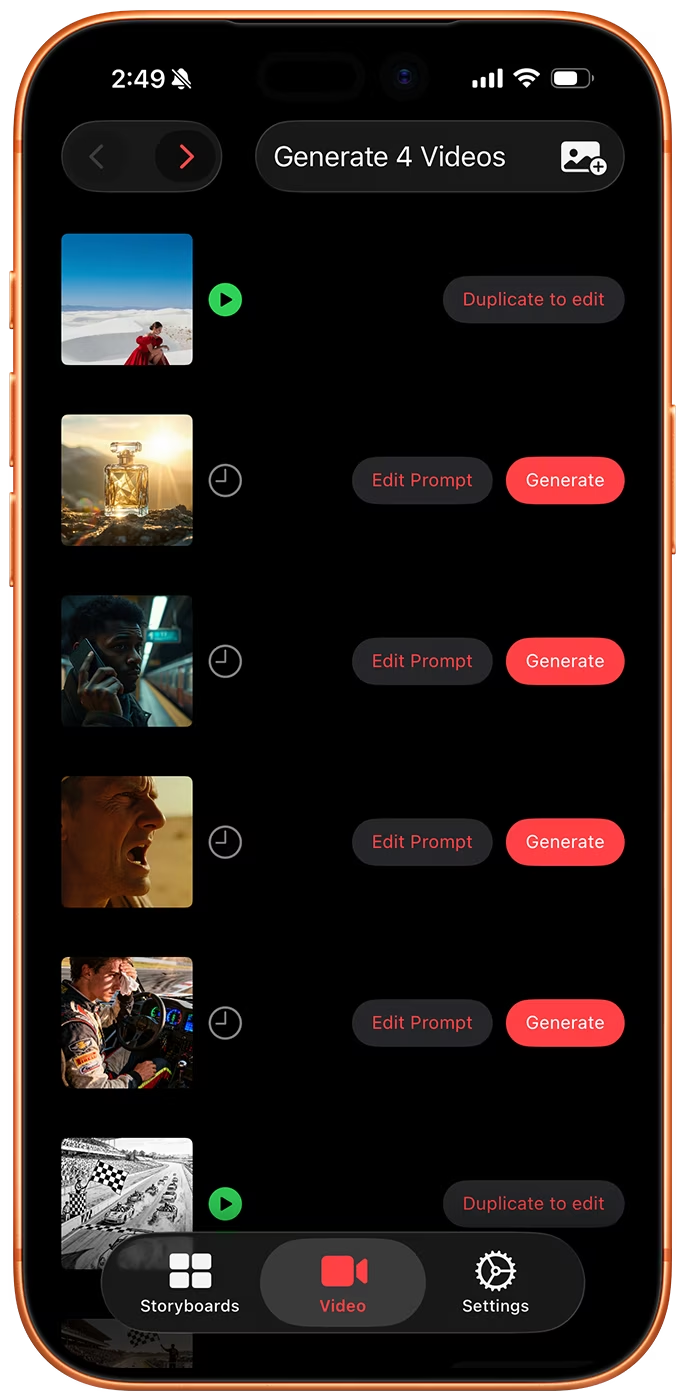
Send a whole storyboard to the video queue, or import images from your photo library, and the app writes a motion prompt for every one of them. Queuing is free and local: nothing is charged until you tap Generate on the Videos tab.
Edit any prompt before you generate, run a single clip or the entire queue, and get a push notification when the renders are ready.
Version History
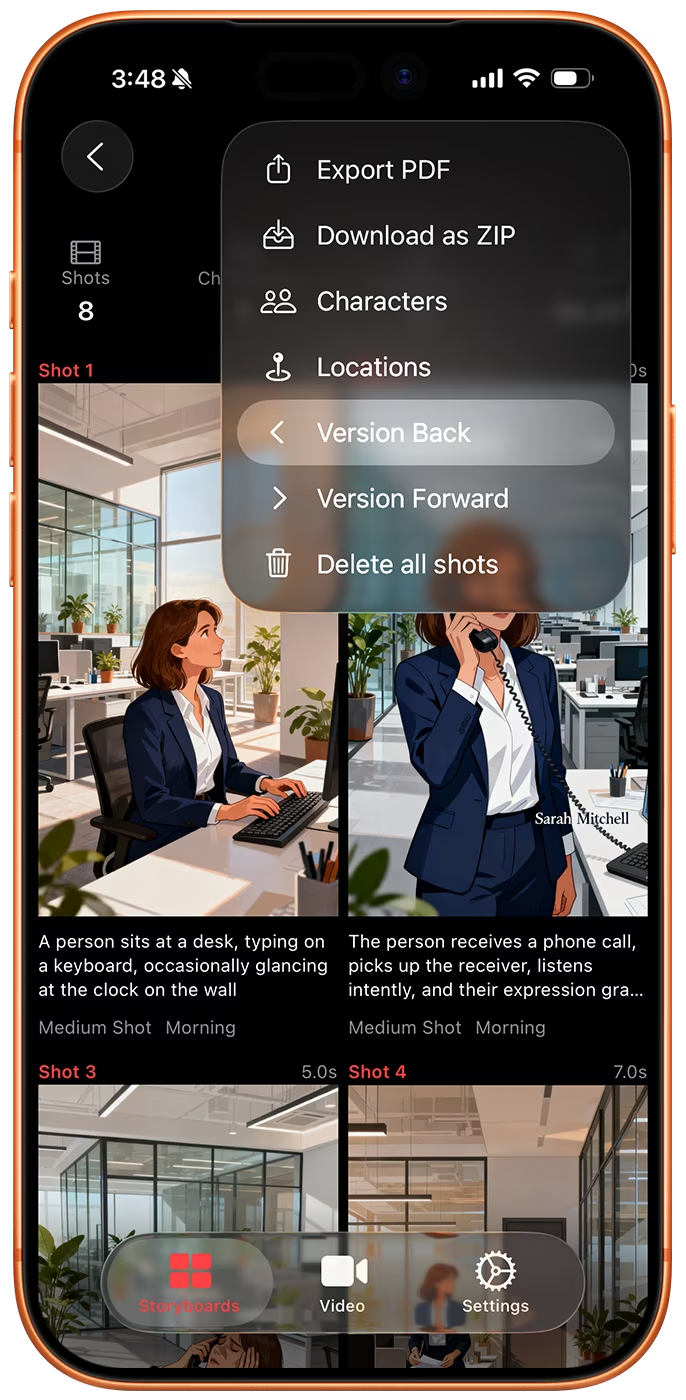
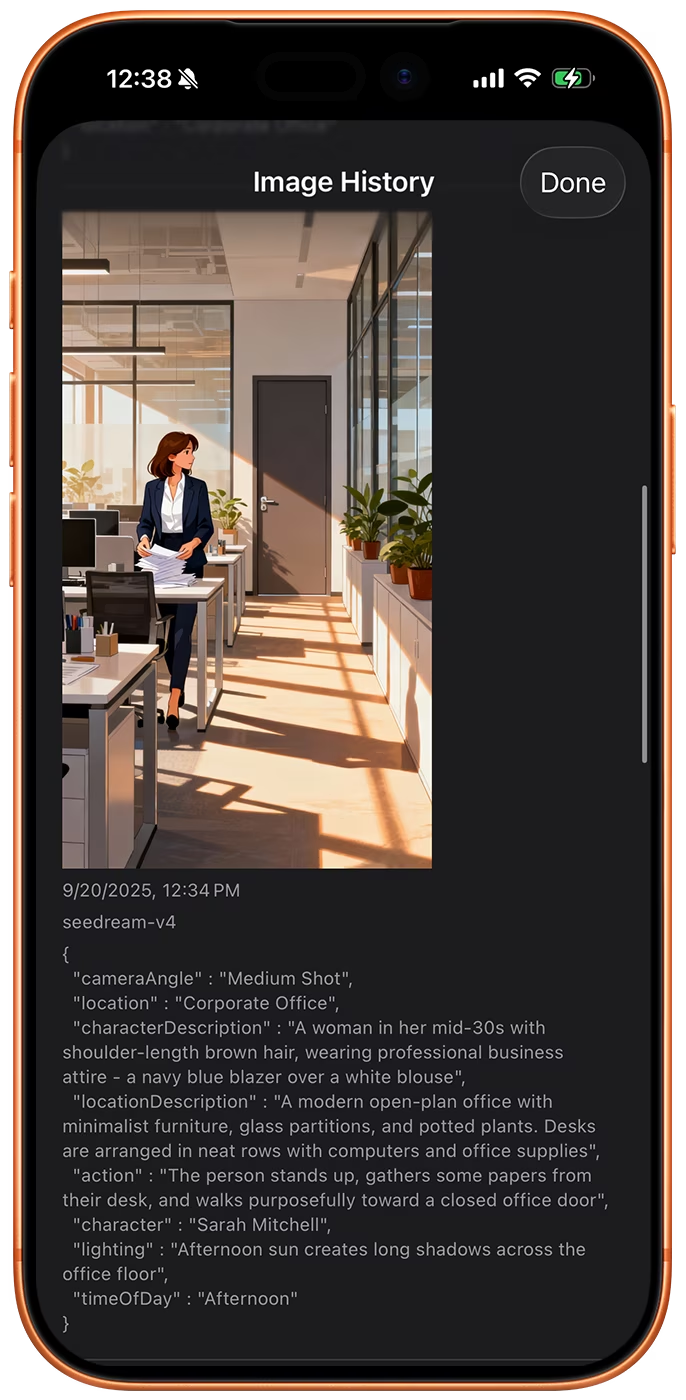
Every image you generate is kept as a new version on the shot, together with the model and the prompt that produced it.
Compare versions, step the whole storyboard back or forward one version at a time, and set any earlier frame as the current one.
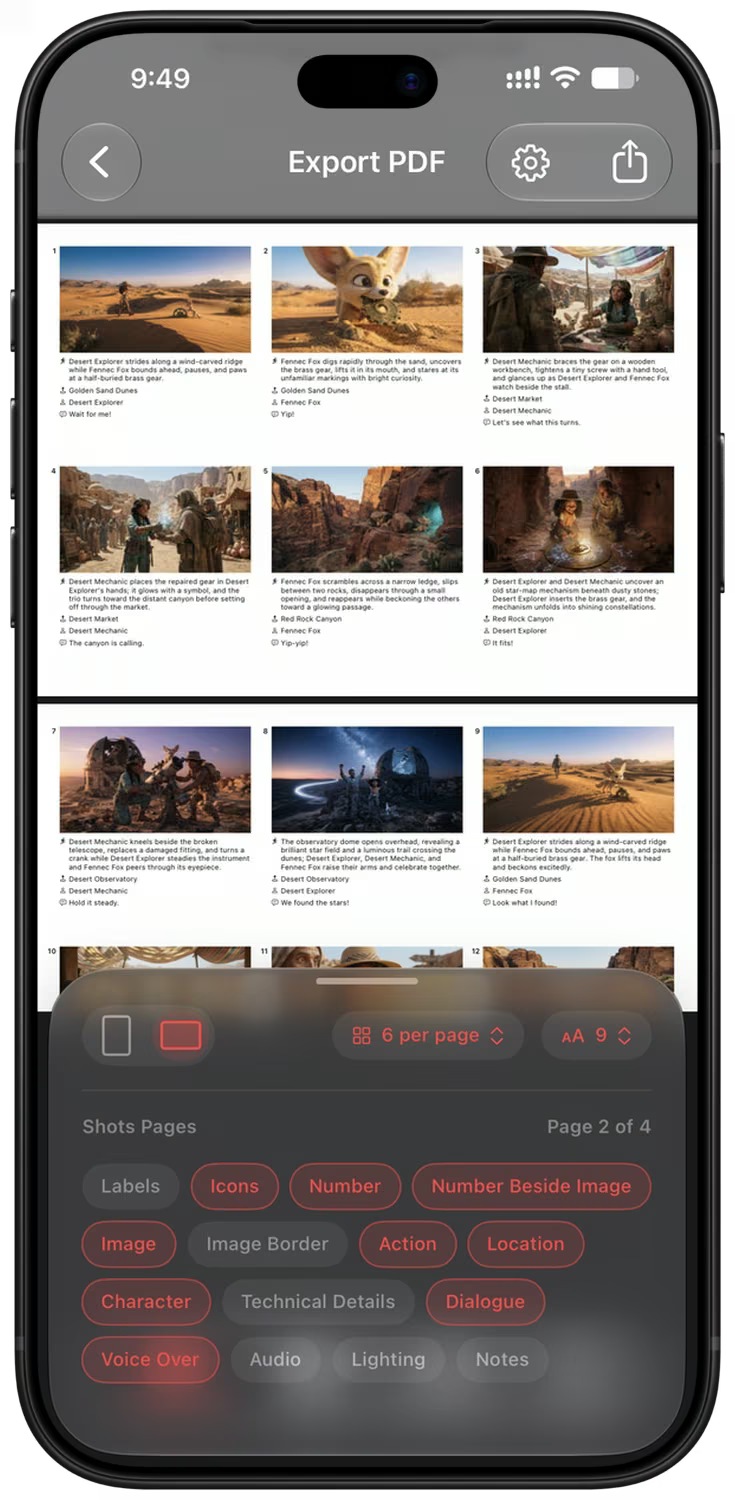
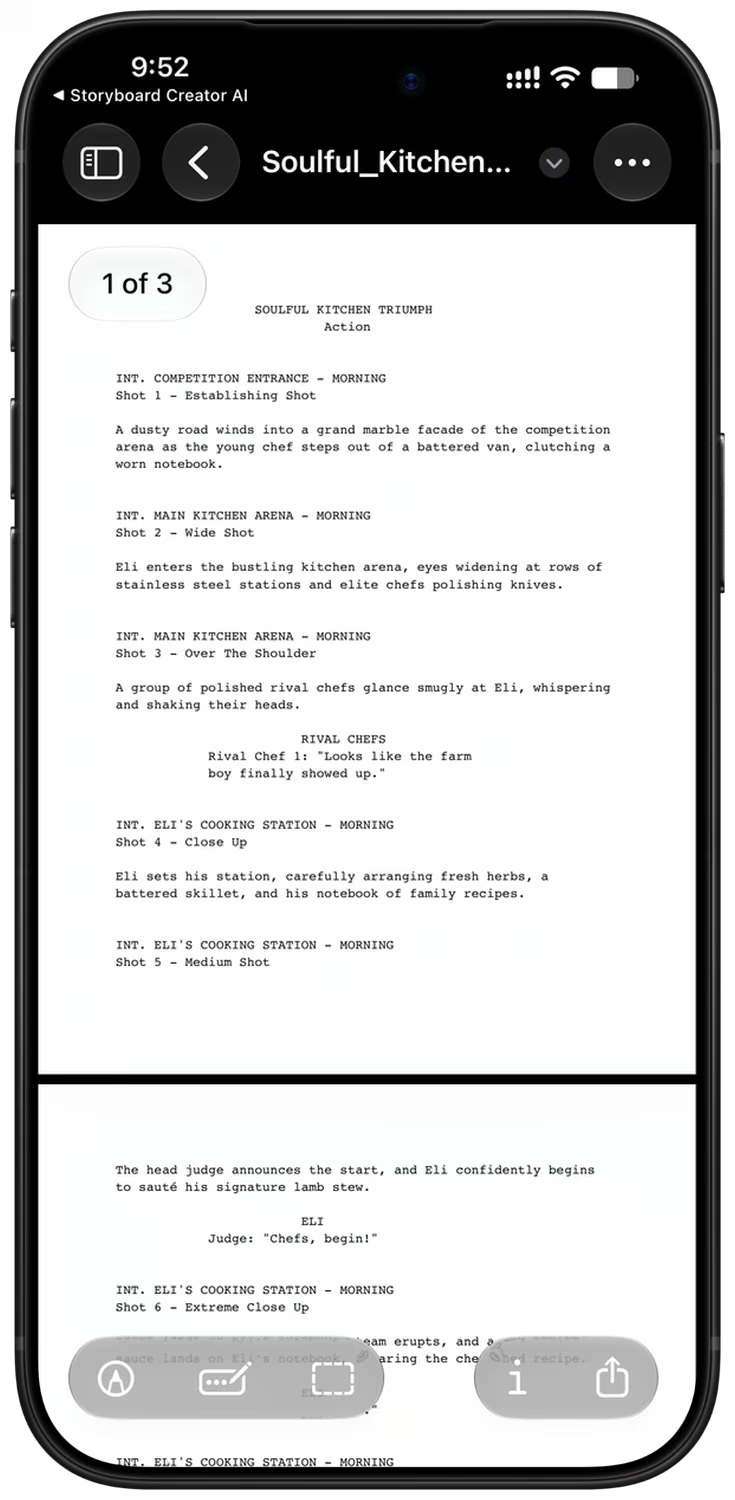
Export a PDF, a Screenplay or a ZIP
The PDF export has a live preview. Choose a cover page, portrait or landscape pages, how many shots fit on a page, and which fields to show.
Export a screenplay formatted PDF from the same storyboard, or a ZIP with every image and video at full resolution, the reference images, a CSV of the shot data and a storyboard.json file.
Built for Professional Workflow
- LLM & Image Model Selection
- AI Video Generation
- Bulk Image & Video Queues
- Character & Location References
- Realistic, Digital Art & Sketch Styles
- Flexible Aspect Ratios
- Full Image Version History
- Camera Angle Control
- PDF & Screenplay Export
- ZIP Archive With Every Asset
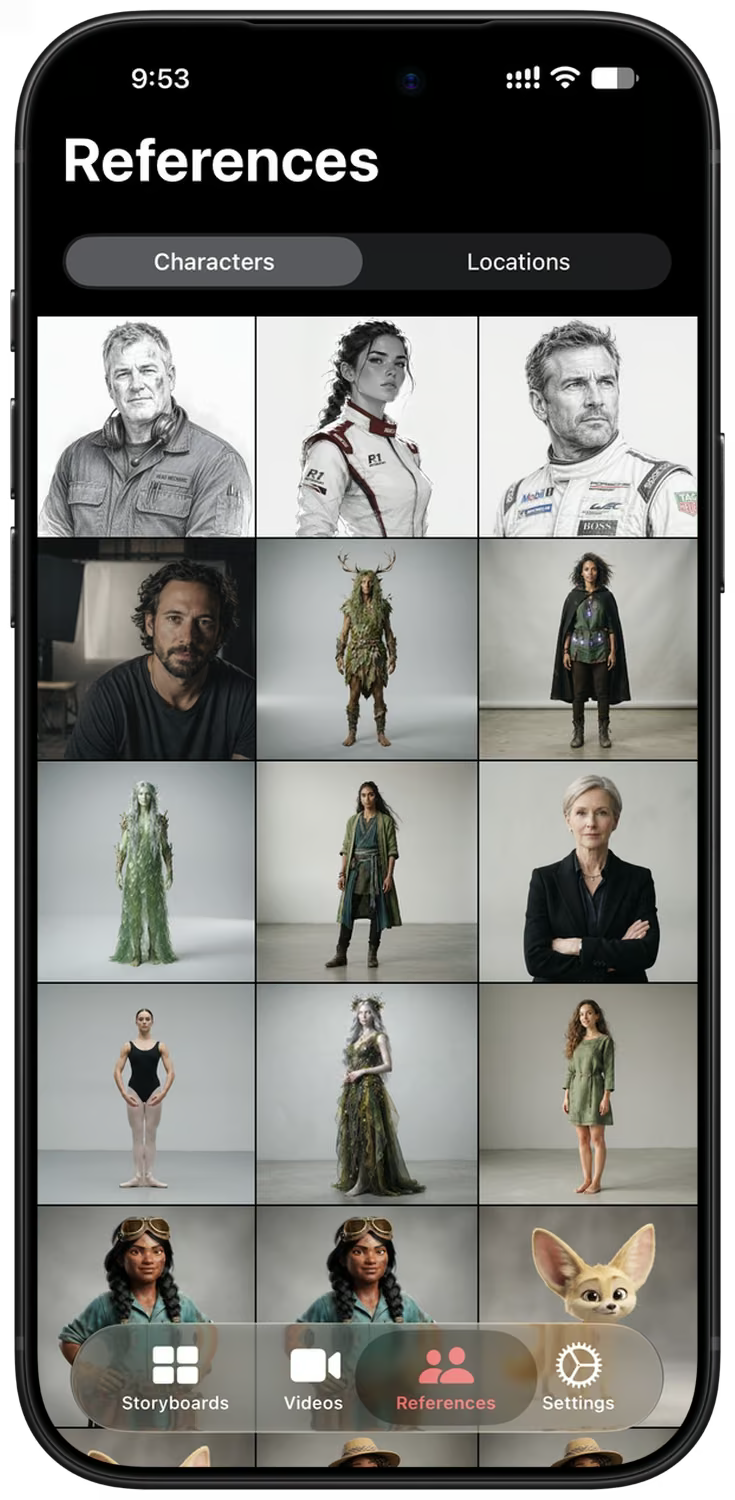
The References tab with a library of character reference images. 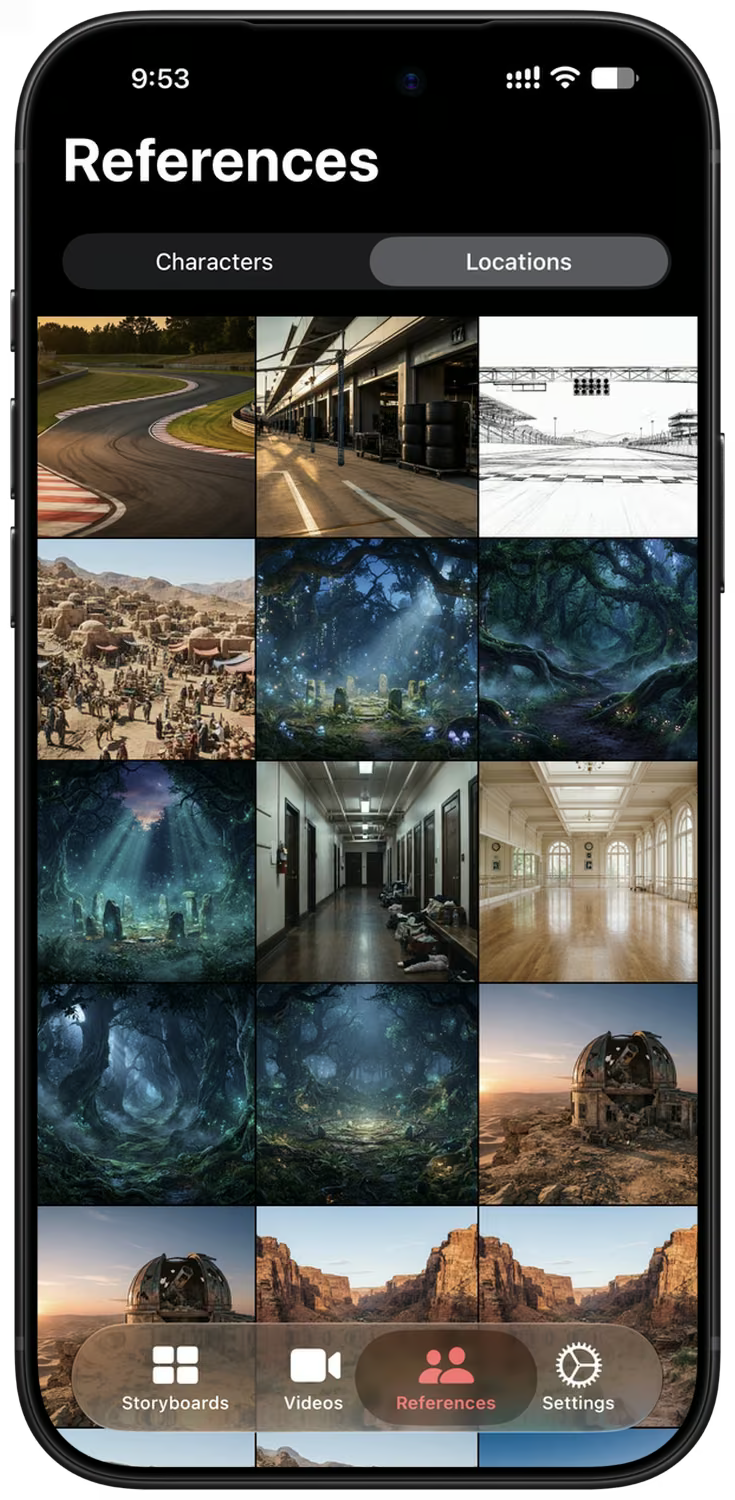
The References tab with a library of location reference images. 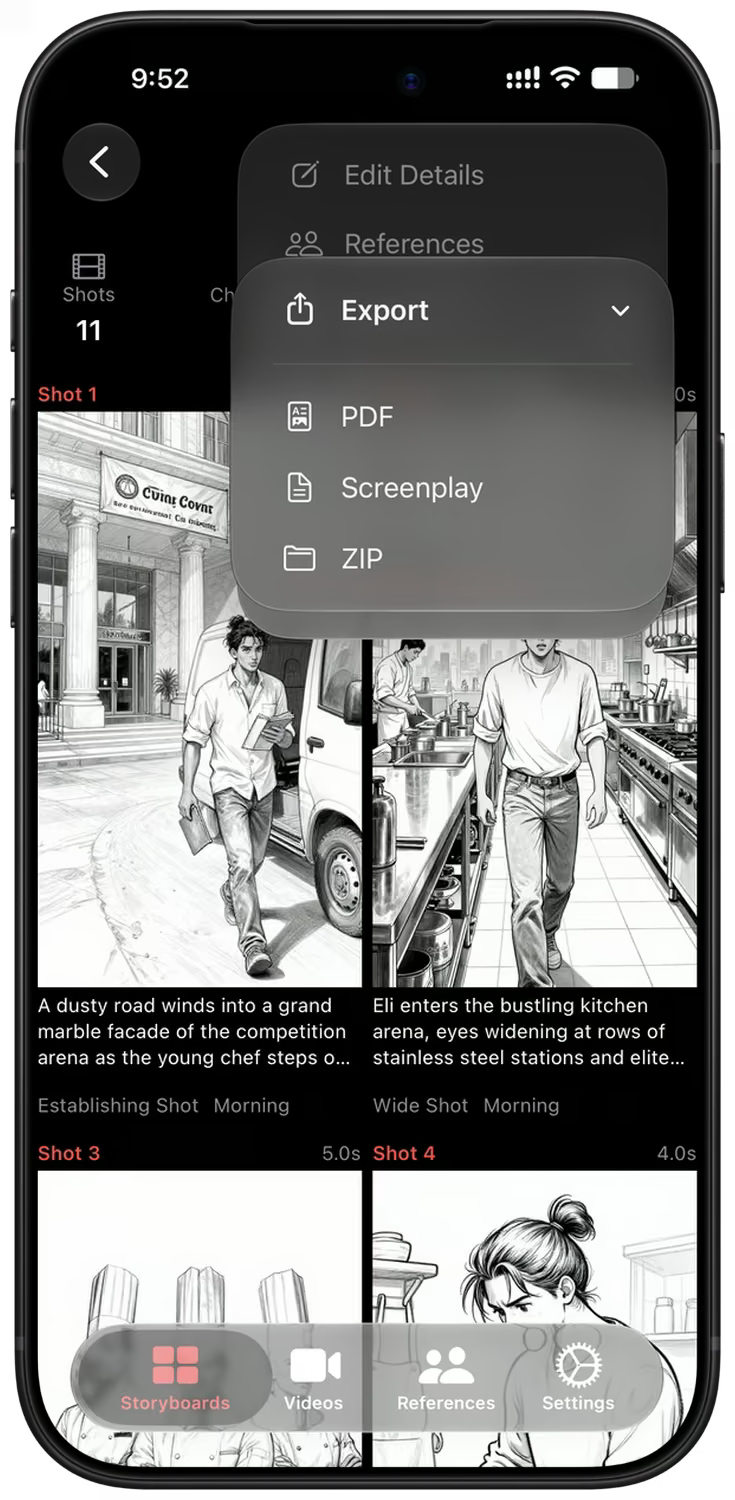
The storyboard Export menu with PDF, Screenplay and ZIP. 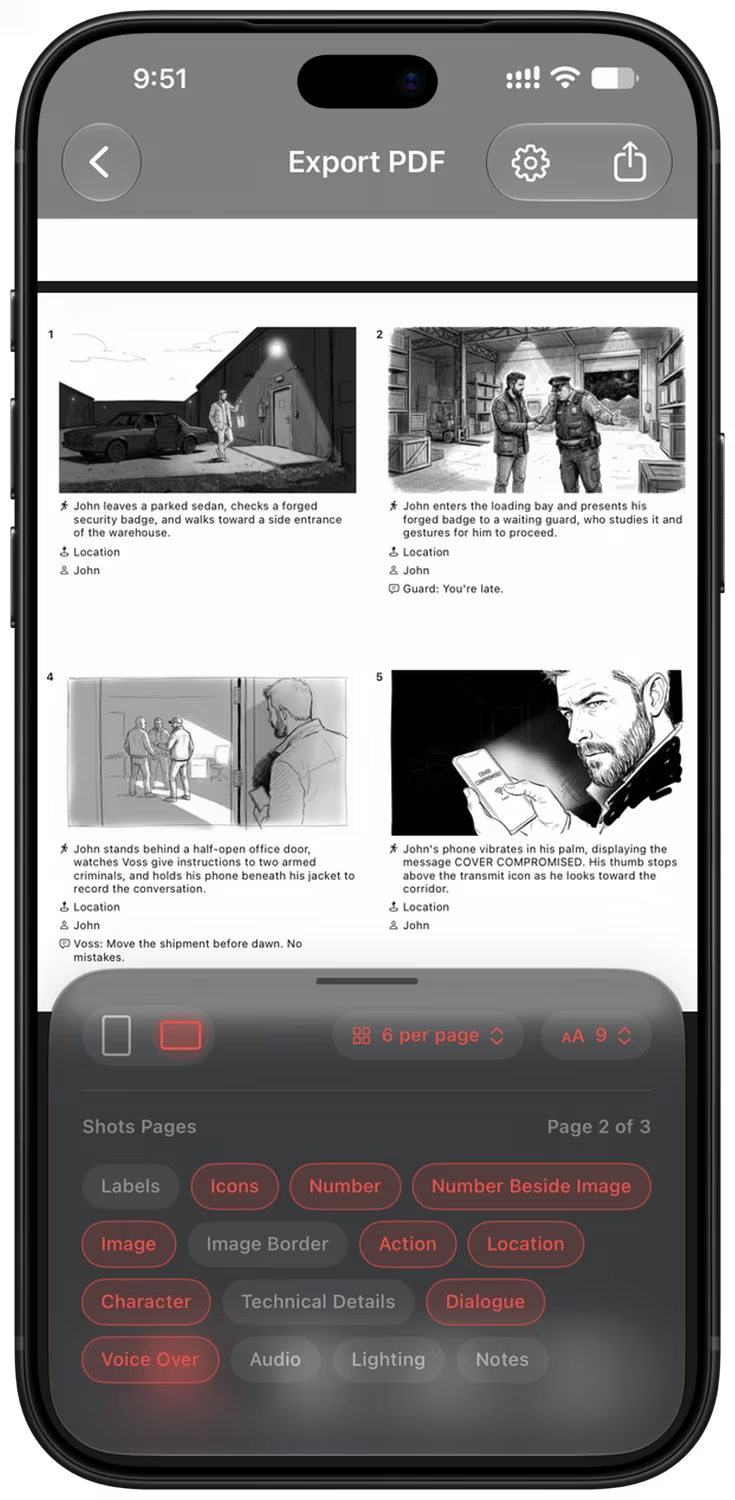
PDF export preview of a sketch style storyboard with two shots per row.
Frequently Asked Questions
What is Storyboard Creator AI?
Storyboard Creator AI is an iOS & MacOS application that helps users create storyboards. It pairs large language models such as Gemini 3.8 Flash and GPT-5.5 with AI image models such as Nano Banana 2.1, GPT Image 2, Z-Image, Flux 2 and Google Imagen 4. It converts text descriptions into detailed storyboard shots and generates the matching images automatically in seconds.
How does the storyboard generation process work?
You describe your scene or idea, and even one word or a single sentence works. The AI breaks it into detailed shots with camera angles, movement, lighting, characters, locations and dialogue, then generates an image for each shot. You choose how many shots to generate, from 8 up to 40, and the app can ask up to three follow-up questions first when your idea leaves something open.
How are the storyboard images generated?
The app builds a structured image prompt from your shot details: composition, camera and lens, movement, lighting, time of day, style, location and notes. That prompt, plus any character and location reference images attached to the storyboard, is sent to the image model you selected, and the finished frame comes back to the shot.
How do I keep the same character across shots?
Use references. The References tab holds character, location and style images that you can import from your photo library, generate with AI, or pick from the built-in library. Attach them to a storyboard and every frame is drawn against the same faces and places. Reference images are supported by Nano Banana 2.1, Nano Banana 2 Lite, GPT Image 2 and GPT Image 2 LQ.
Can I customize the generated images?
Yes. Each shot can be regenerated to create alternatives, and you can edit the current image with a plain text instruction using Nano Banana 2.1 or GPT Image 2. You can also open the camera angle controls to re-shoot the same frame from a different angle or zoom, swap in a face from your photo library, write your own custom image prompt, or drop in a picture of your own instead of generating one.
Start Your Next Storyboard Today
Free to download on iPhone, iPad and Mac. Make your first storyboard in minutes, no drawing skills needed.