故事板
创作者 AI
导演、艺术家与创作者的终极工具。
只需几秒钟,即可将一句话转化为完整的分镜脚本,并确保角色、场景和风格在各个镜头间保持一致。

运作原理
描述你的想法
输入一句话或粘贴完整的需求说明。选择所需的镜头数量(8 到 40 个)以及用于生成图像的模型。
获取完整的分镜脚本
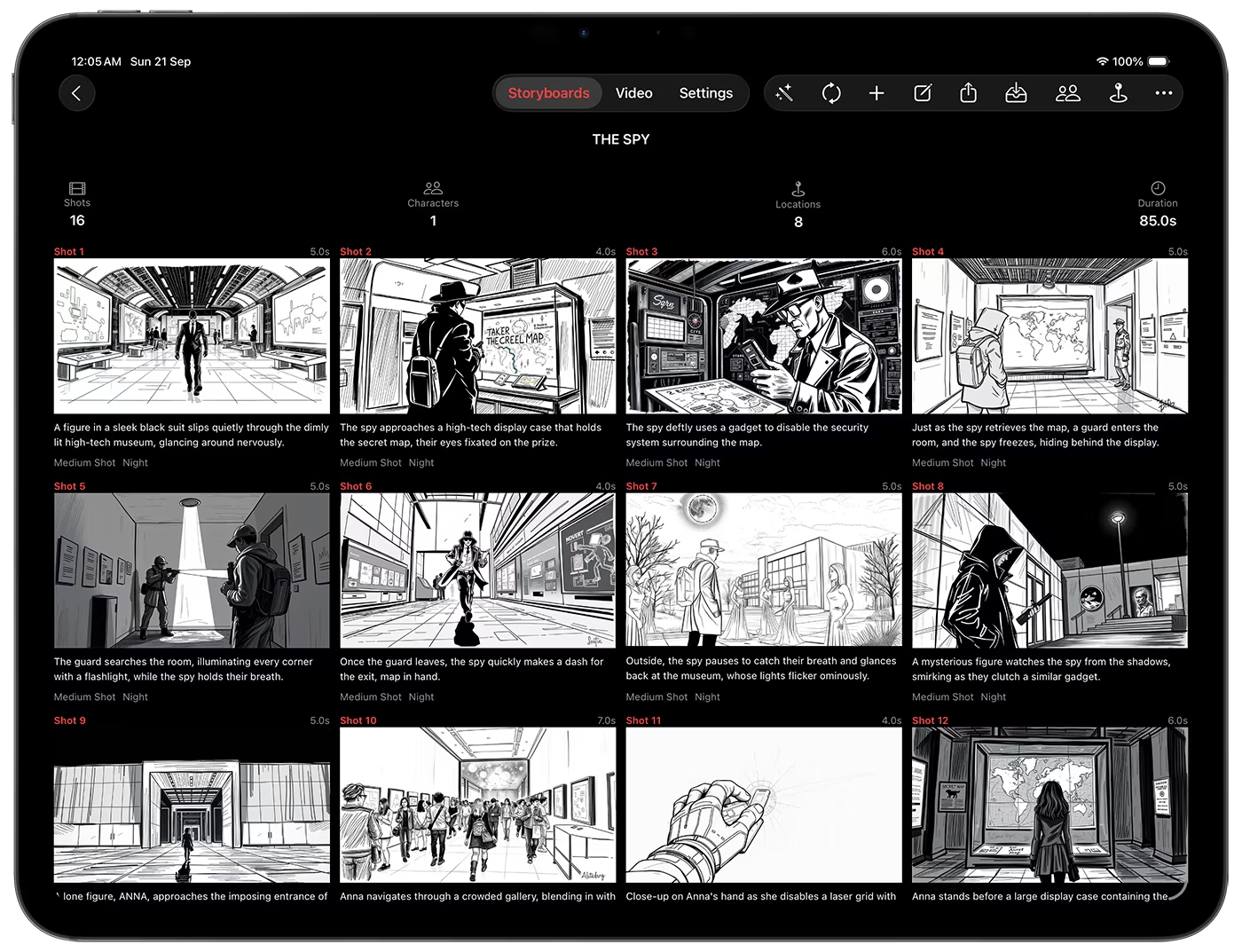
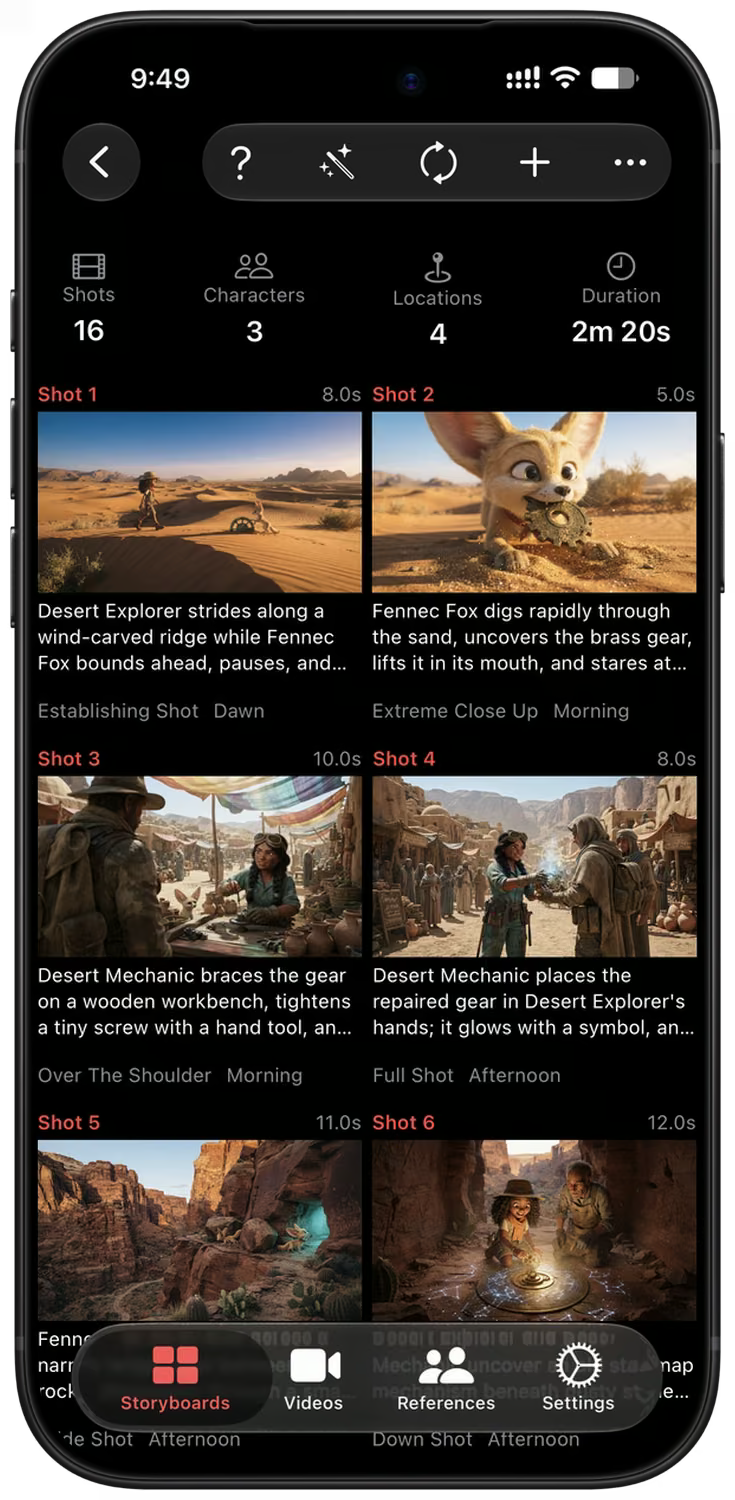
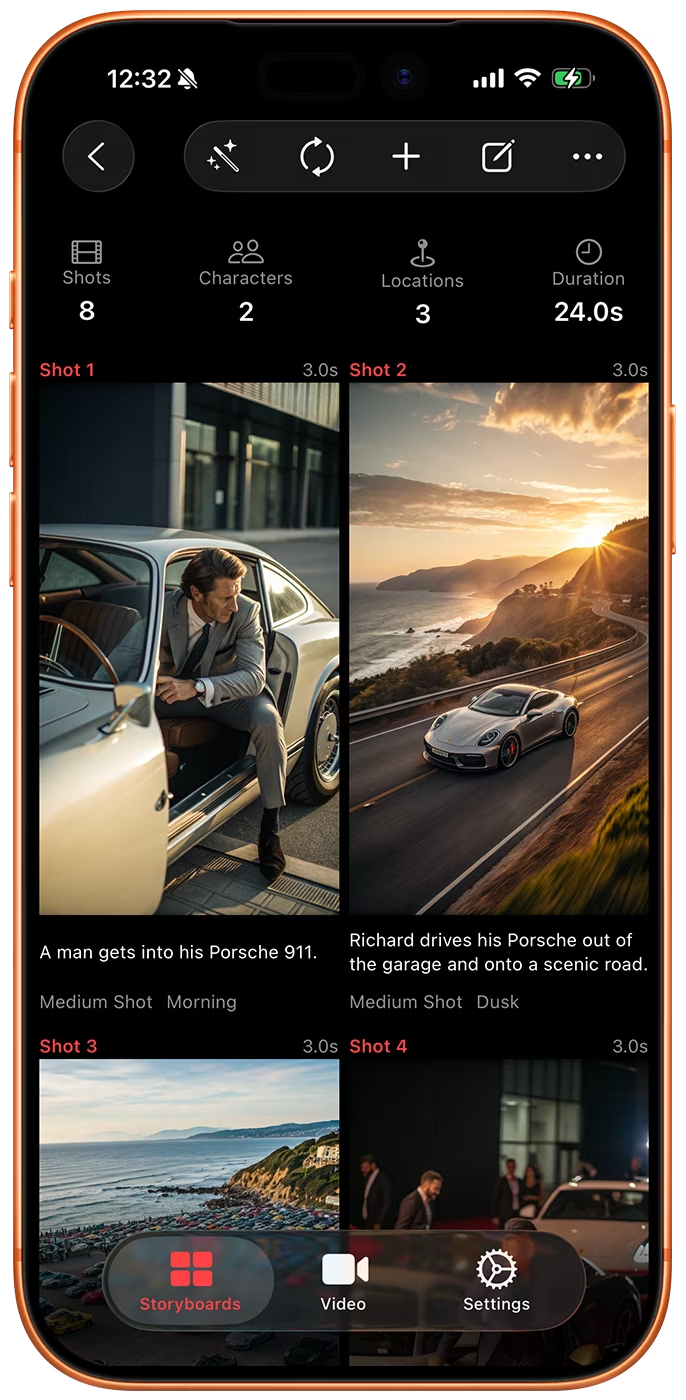
该应用会针对每个镜头编写动作、角色、场景、布光、摄像机角度及对白等内容,并为每个镜头绘制画面。
优化、制作动画并导出
用简单的文字编辑任意镜头,将画面转化为视频片段,并导出 PDF、剧本或包含所有素材的 ZIP 压缩包。
从一句话到完整的镜头清单
就像向朋友讲述故事那样写下你的故事。Storyboard Creator AI 会将其拆解为一个个镜头,并为每个镜头填充动作、角色、场景、时间、光效、摄像机角度及对白等细节。
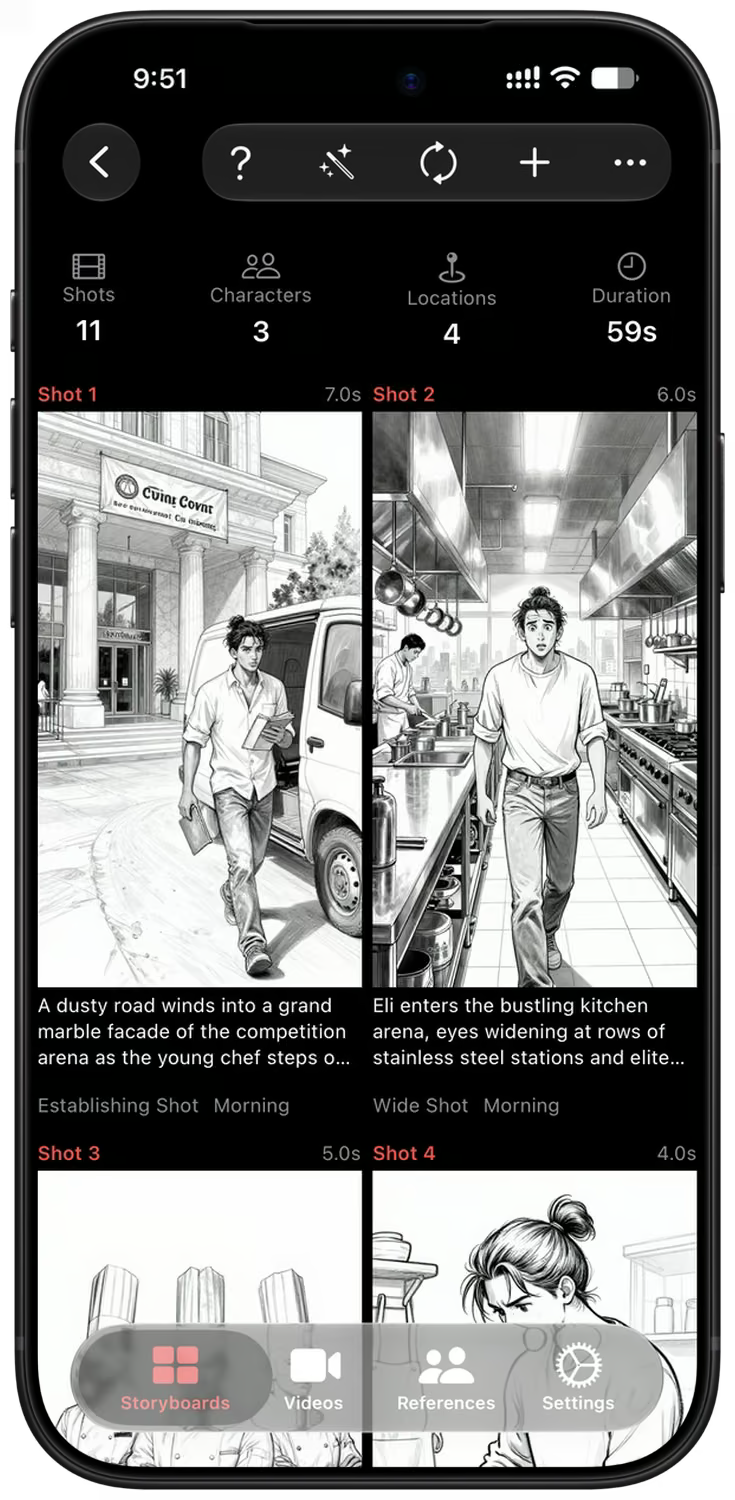
每个镜头都会以你选择的风格(写实、数字艺术或素描)和比例(16:9、9:16 或 1:1)生成专属画面。再次运行即可向同一个分镜脚本添加更多镜头。
保持一致的角色与场景
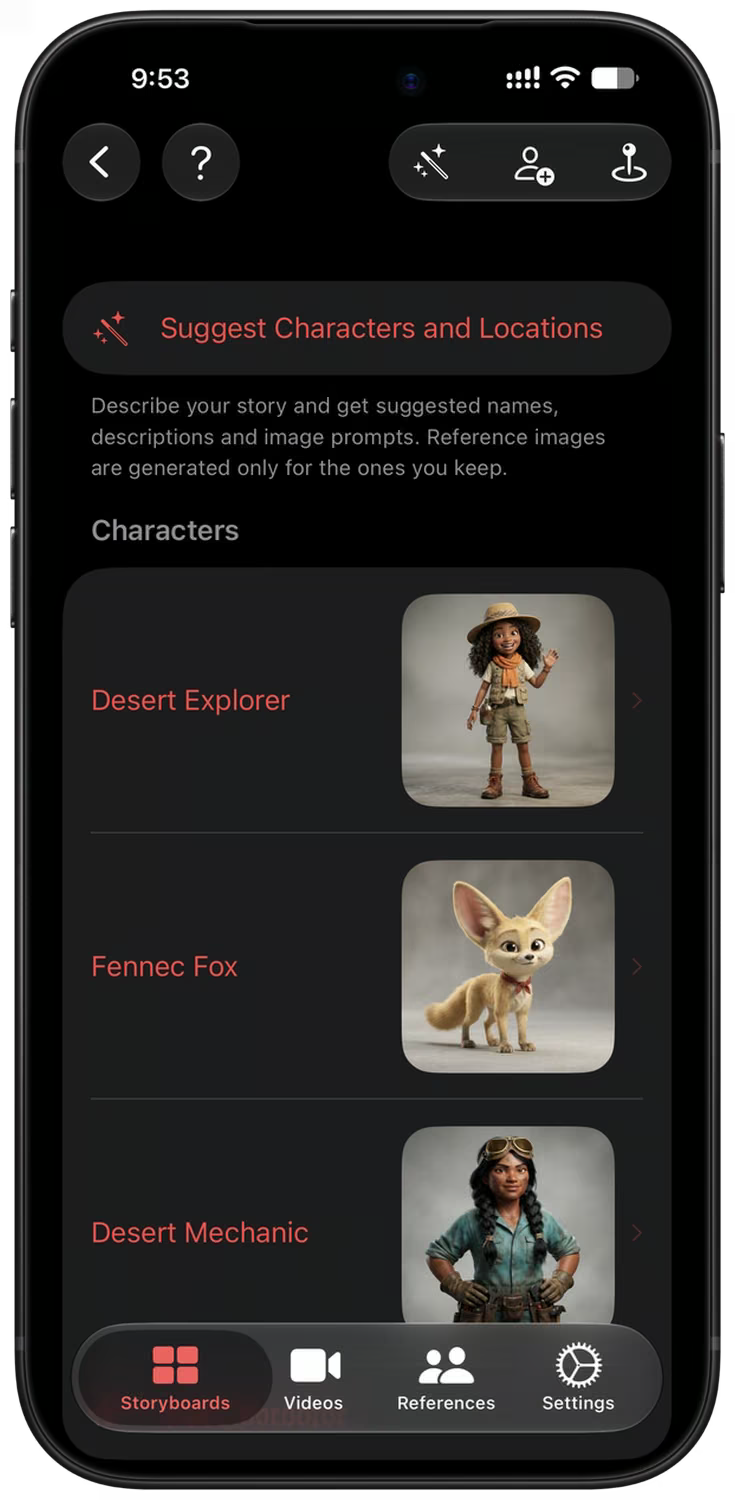
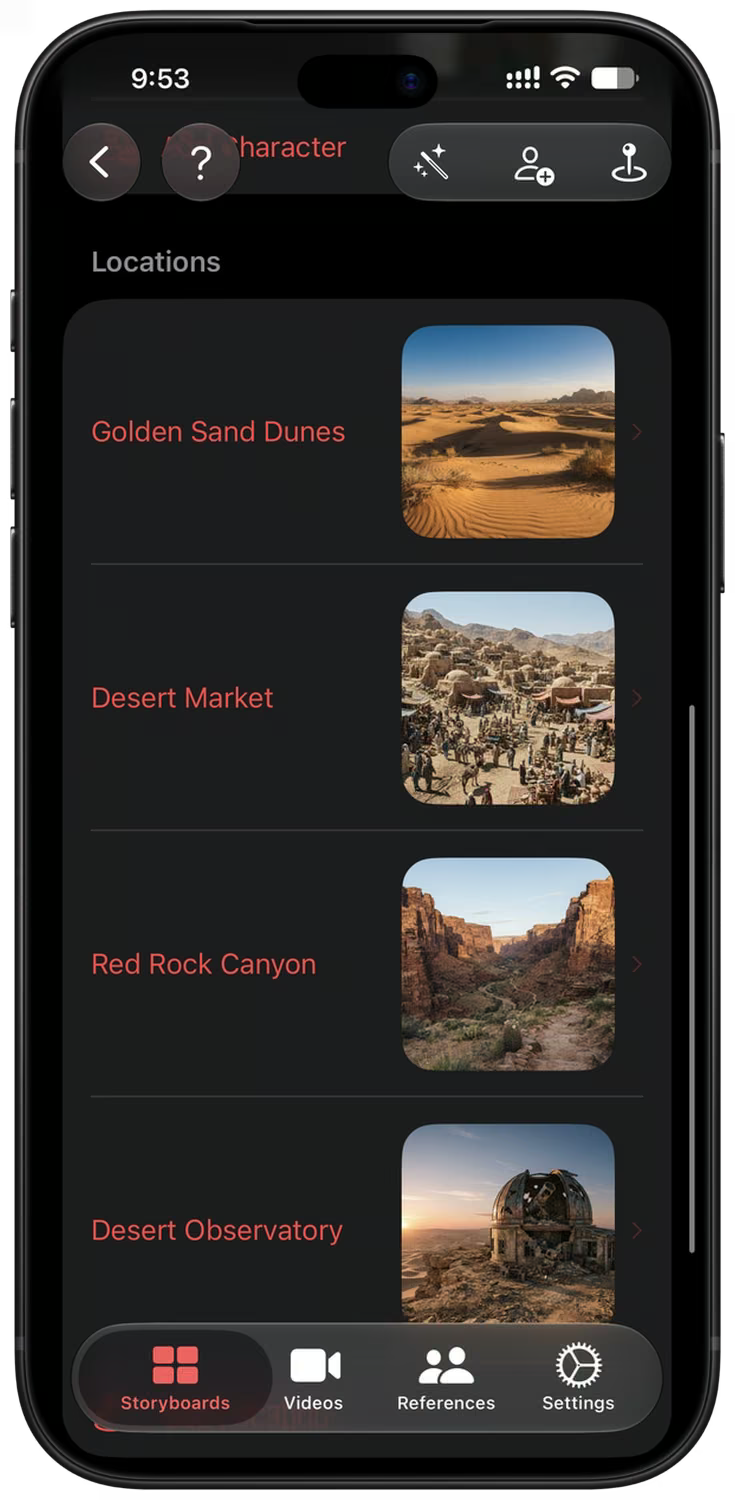
只需描述你的故事,该应用便会推荐所需的角色与场景,并提供名称、描述及参考图片。你可以只保留自己喜欢的那些。
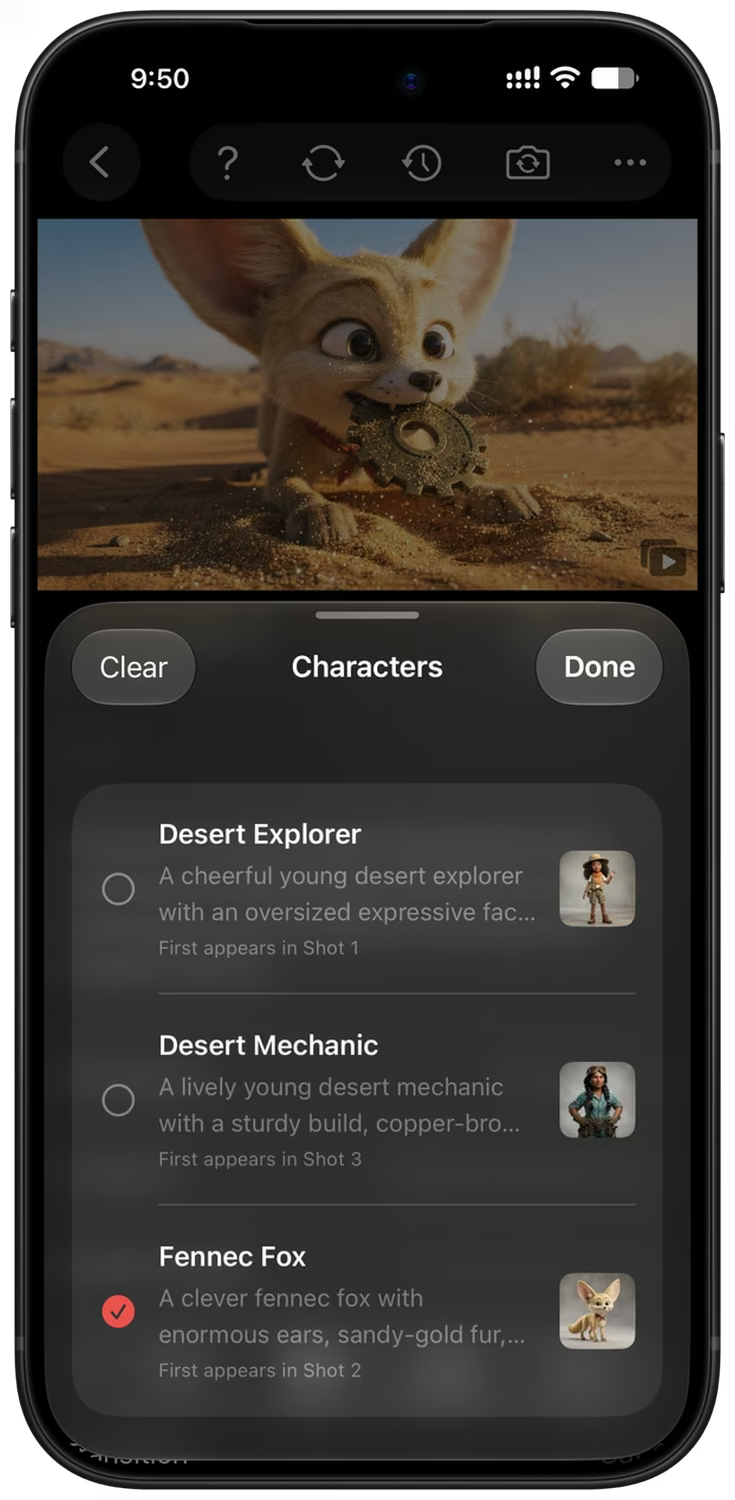
每条图像提示词都包含参考信息,确保从第一张到最后一张画面中,人物面孔、服饰和场景始终保持一致且易于辨识。您可以导入自己的照片、生成新图像,或从应用内的精选图库中进行选择。
用通俗语言编辑任意镜头
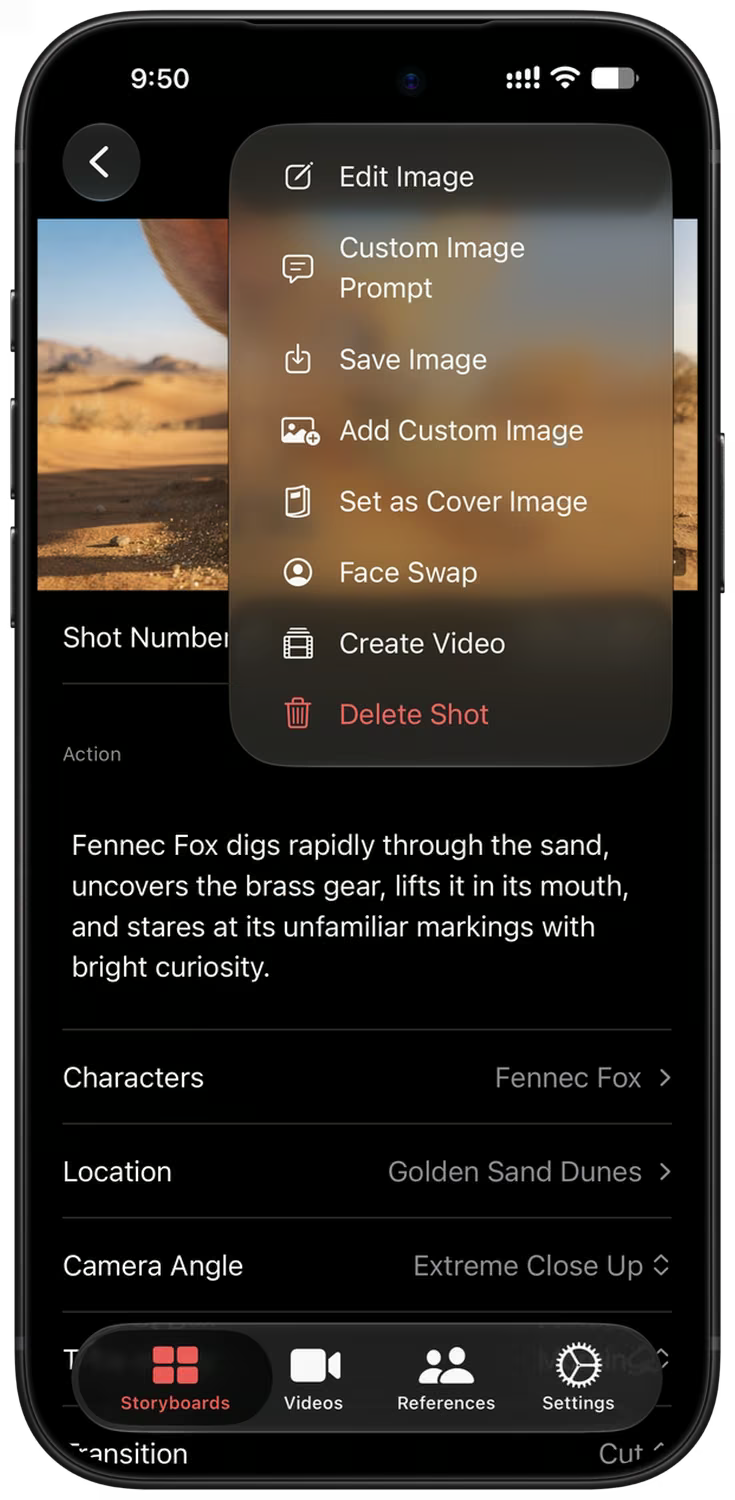
打开一个镜头以修改任意细节,输入自定义的图像提示词,或者描述修改需求(例如“改为夜景”),即可获得该画面的新版本。
更改摄像机角度、替换人脸、保存图像、将其设为封面,或将镜头发送至视频队列——所有这些操作均可在同一个菜单中完成。
AI 模型、长宽比与风格选择
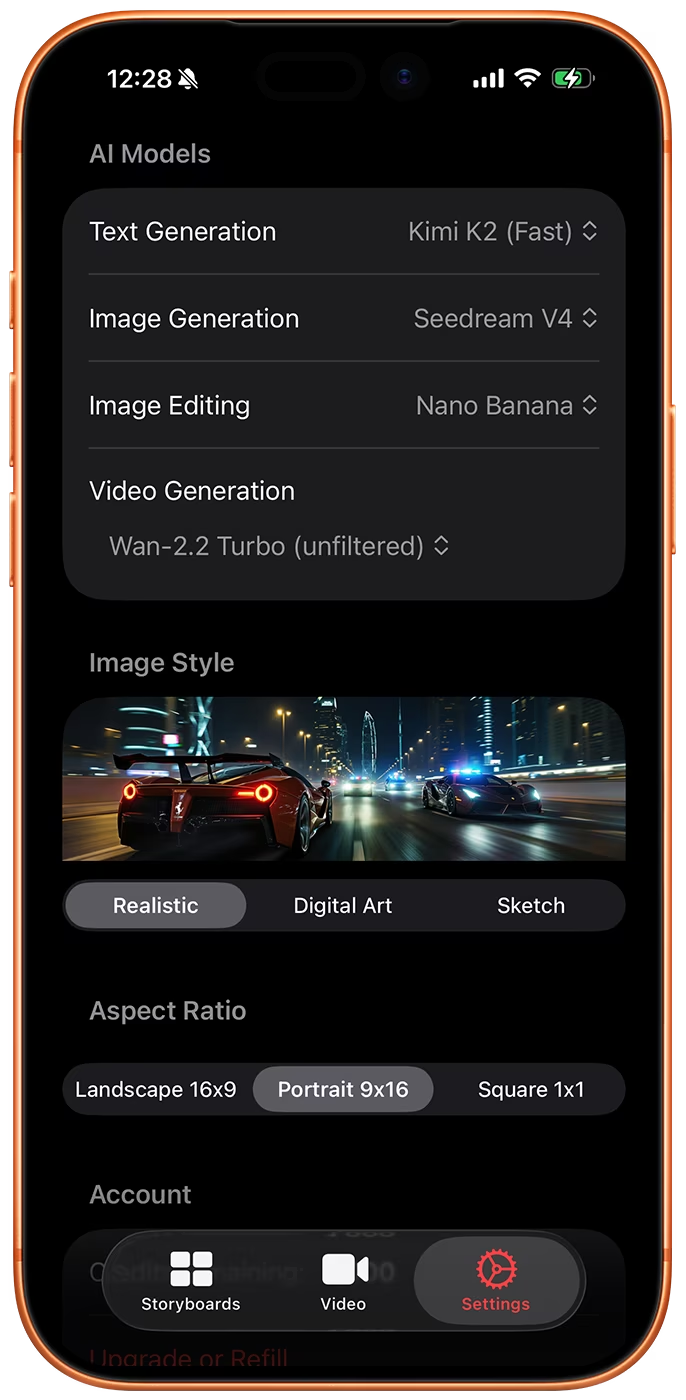
Storyboard Creator AI 允许您为分镜脚本选择图像模型、视频模型、长宽比及风格。模型列表会紧跟最新发布的内容,确保您始终使用最新的模型进行创作。
图像模型包括 Nano Banana 2.1、GPT Image 2、Z-Image、Flux 2、Wan 2.7、Bria 3.2 和 Google Imagen 4。视频则来自 Google Omni 1.1 Flash 和 MiniMax H3。
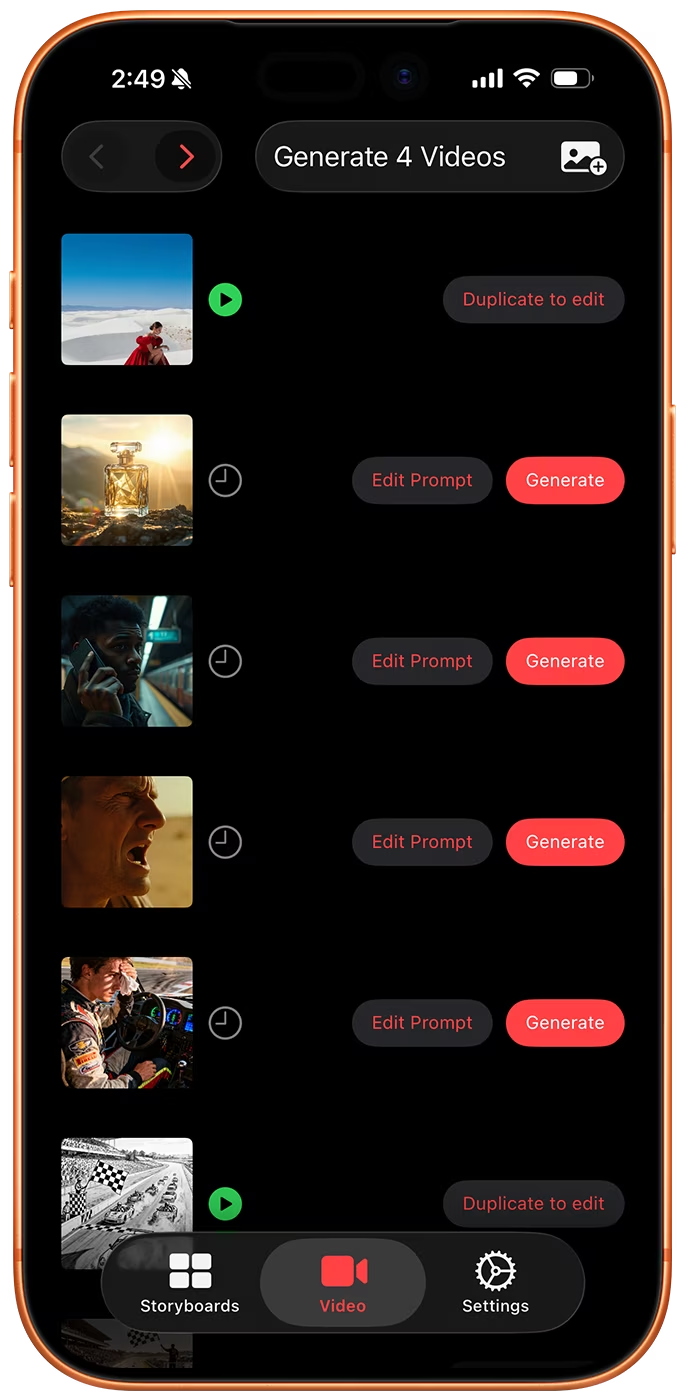
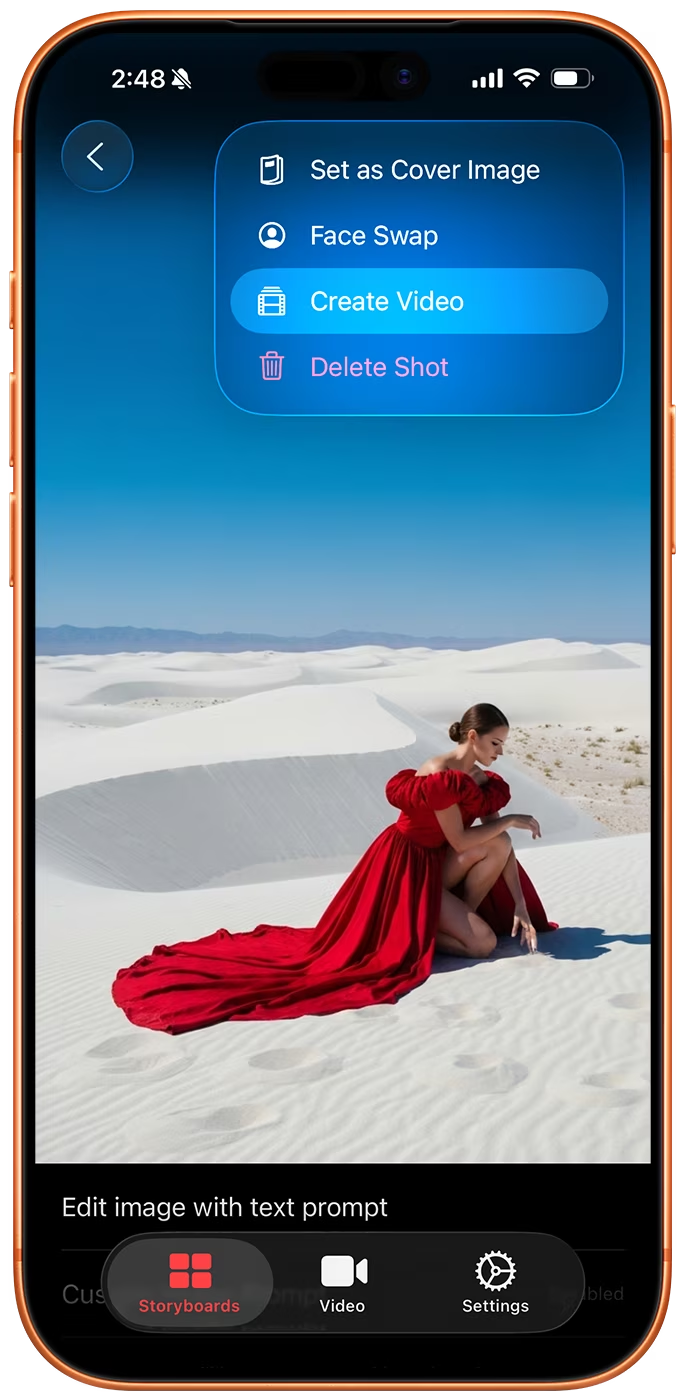
批量视频生成
您可以将整套分镜发送至视频生成队列,或从相册导入图片,应用会自动为每一张图片编写动态提示词。加入队列的过程完全免费且在本地进行:只有当您在“视频”标签页点击“生成”时,才会产生费用。
在生成前编辑任意提示词,既可处理单个片段,也可运行整个队列,并在渲染完成后接收推送通知。
版本历史
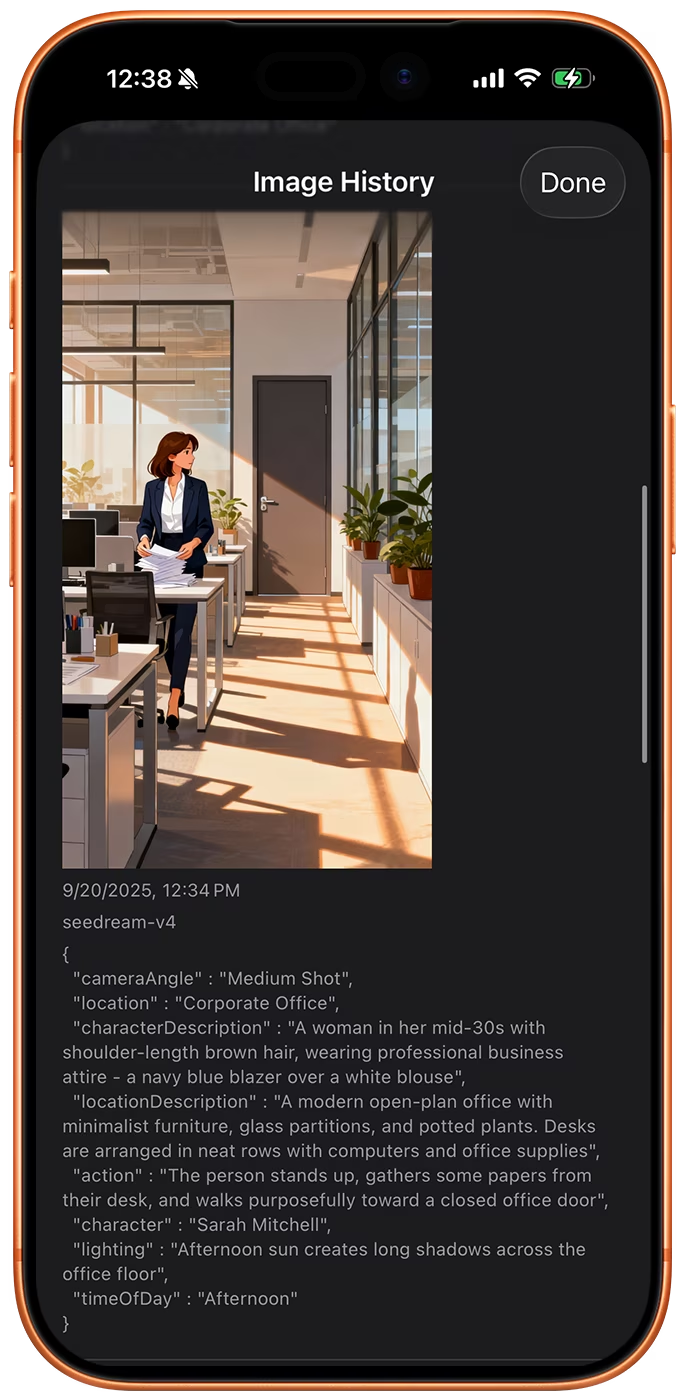
您生成的每一张图像都会作为新版本保存在该镜头(shot)中,并附带生成该图像时所使用的模型与提示词。
比较不同版本,逐一向前或向后切换整个故事板的版本,并将任意较早的帧设为当前帧。
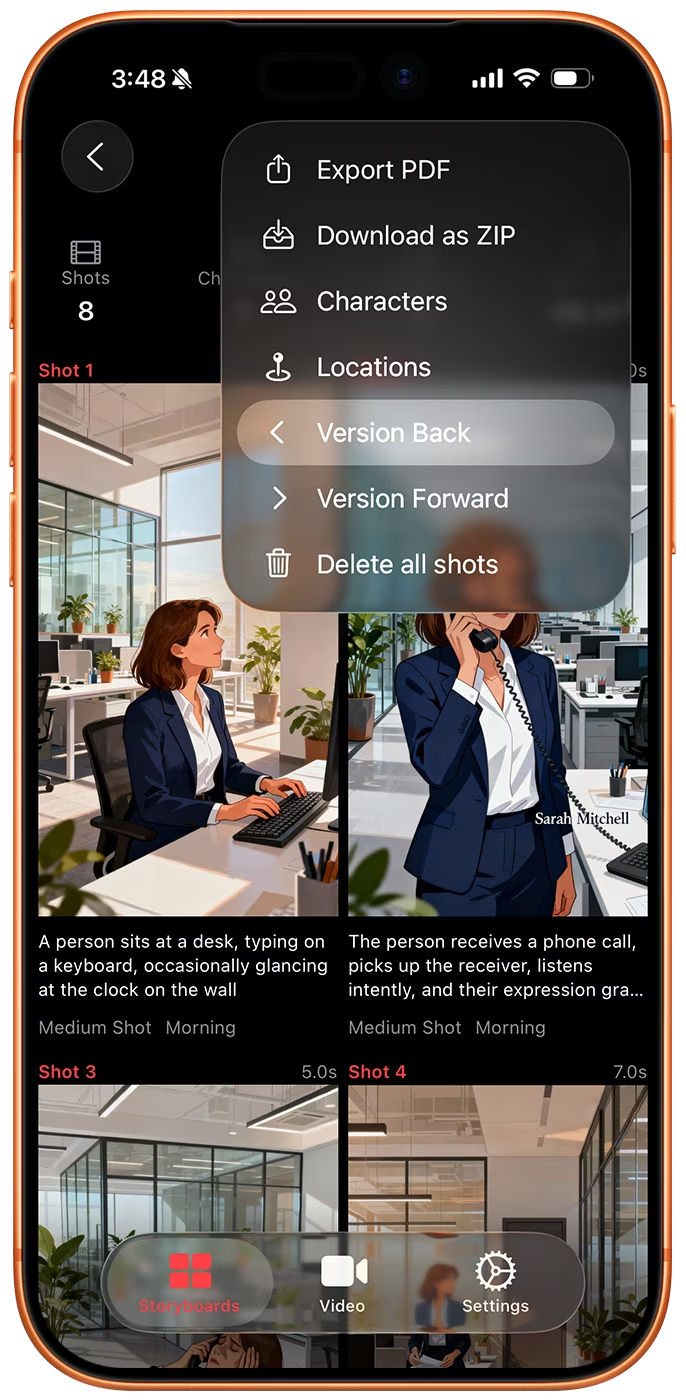
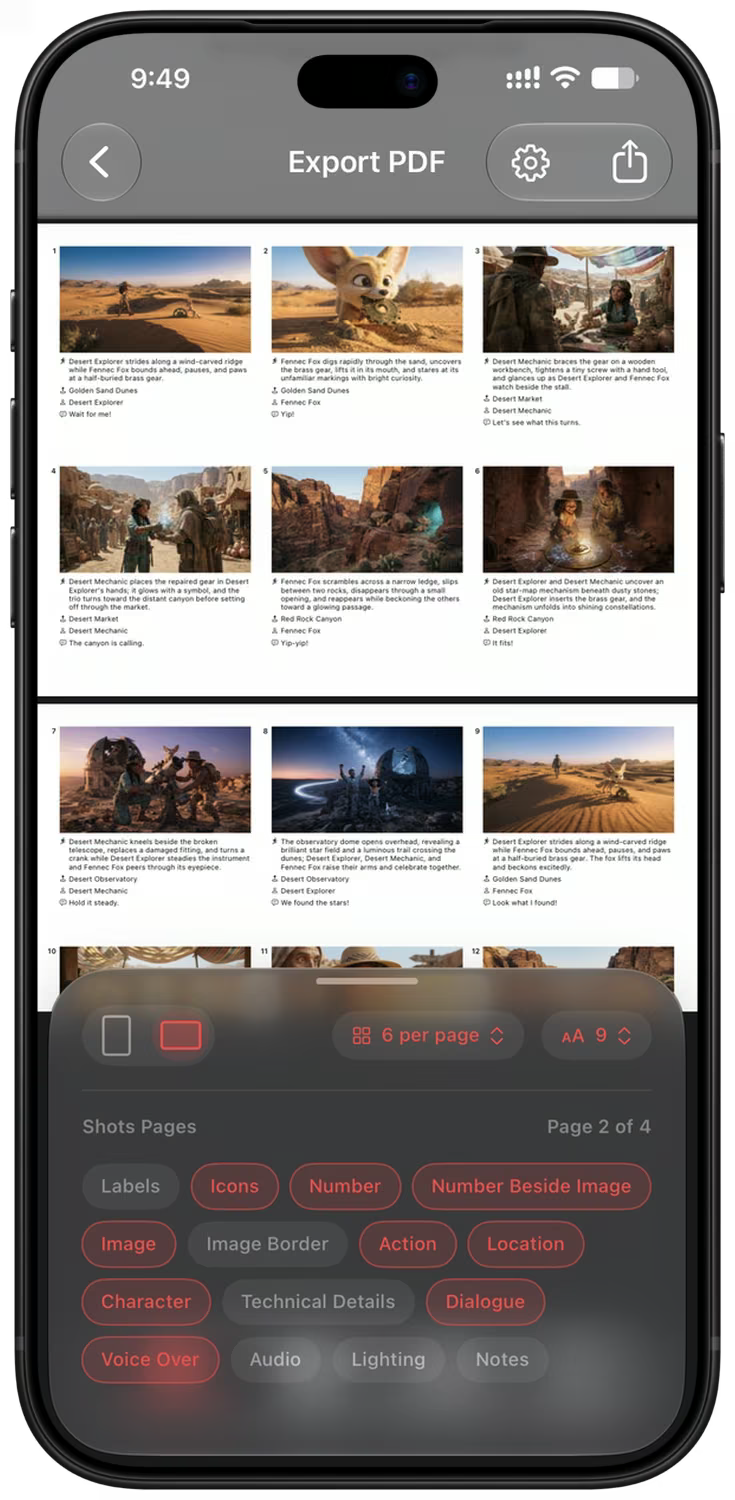
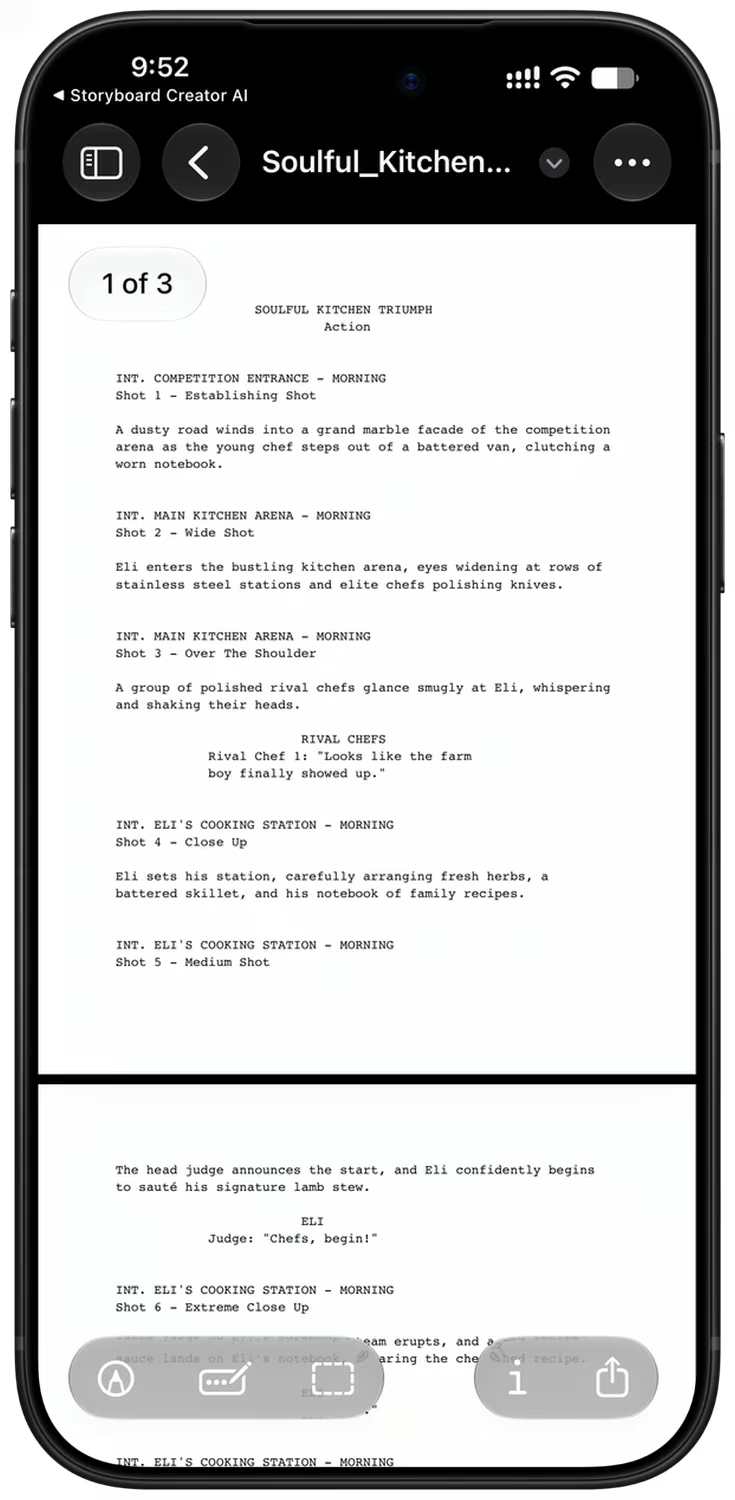
导出 PDF、剧本或 ZIP 文件
PDF 导出功能包含实时预览。您可以选择封面、页面方向(纵向或横向)、单页显示的镜头数量以及要显示的字段。
基于同一分镜脚本导出符合剧本格式的 PDF,或者导出一个包含所有全分辨率图像与视频、参考图、镜头数据 CSV 文件及 storyboard.json 文件的 ZIP 压缩包。
专为专业工作流程打造
- LLM 和图像模型选择
- AI 视频生成
- 图像与视频批量处理队列
- 角色与地点参考
- 写实、数字艺术与素描风格
- 灵活的宽高比
- 完整镜像版本历史
- 摄像机角度控制
- PDF 与剧本导出
- 包含所有资源的 ZIP 压缩包
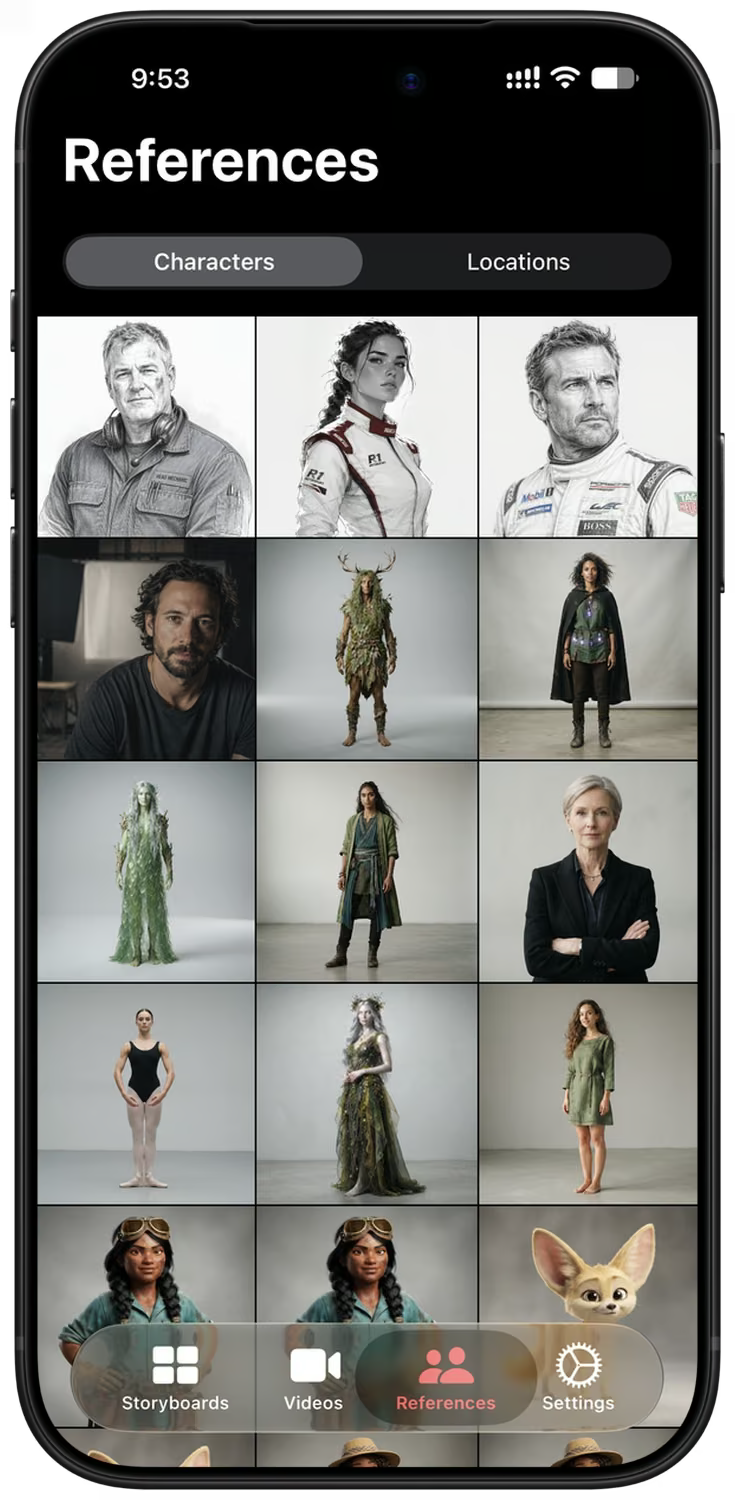
包含角色参考图像库的“参考”选项卡。 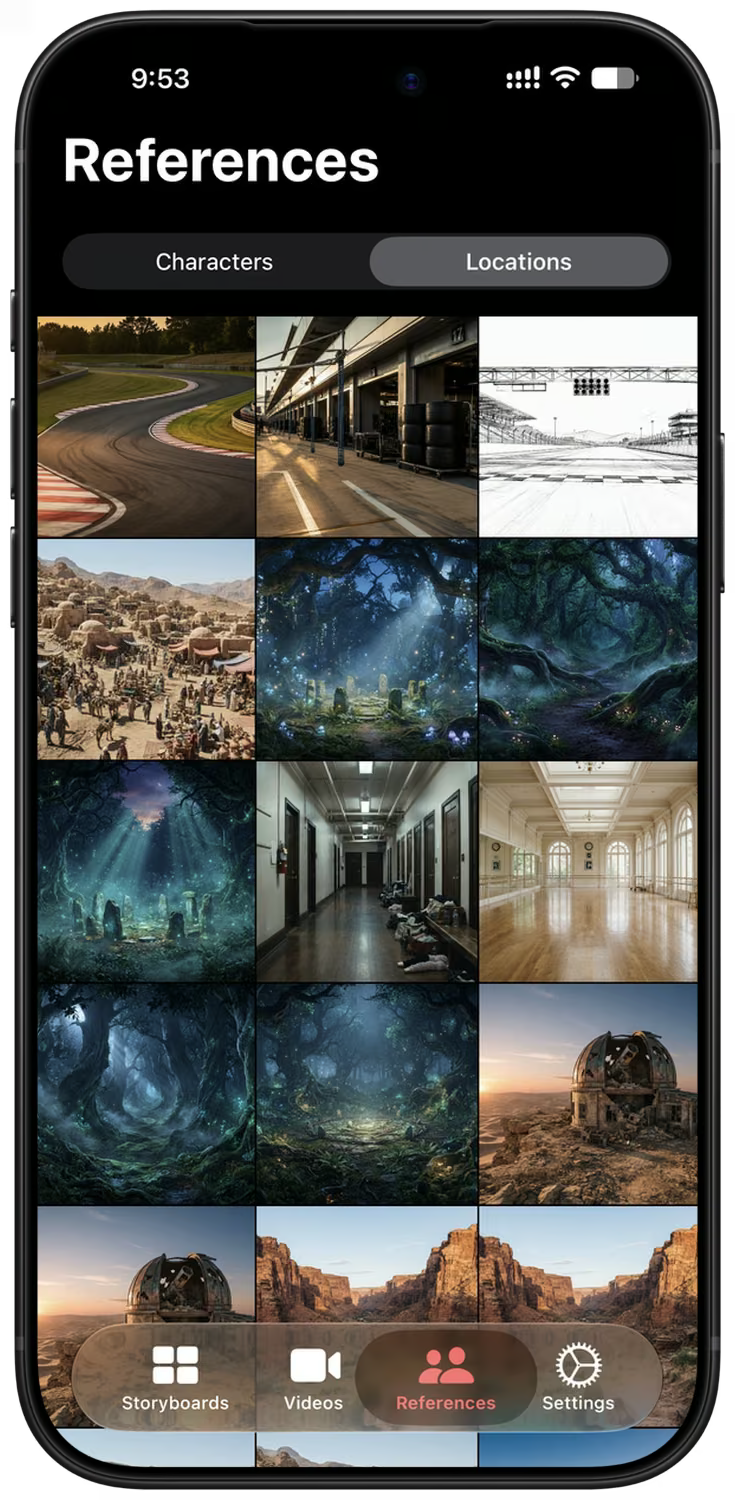
包含地点参考图像库的“参考”选项卡。 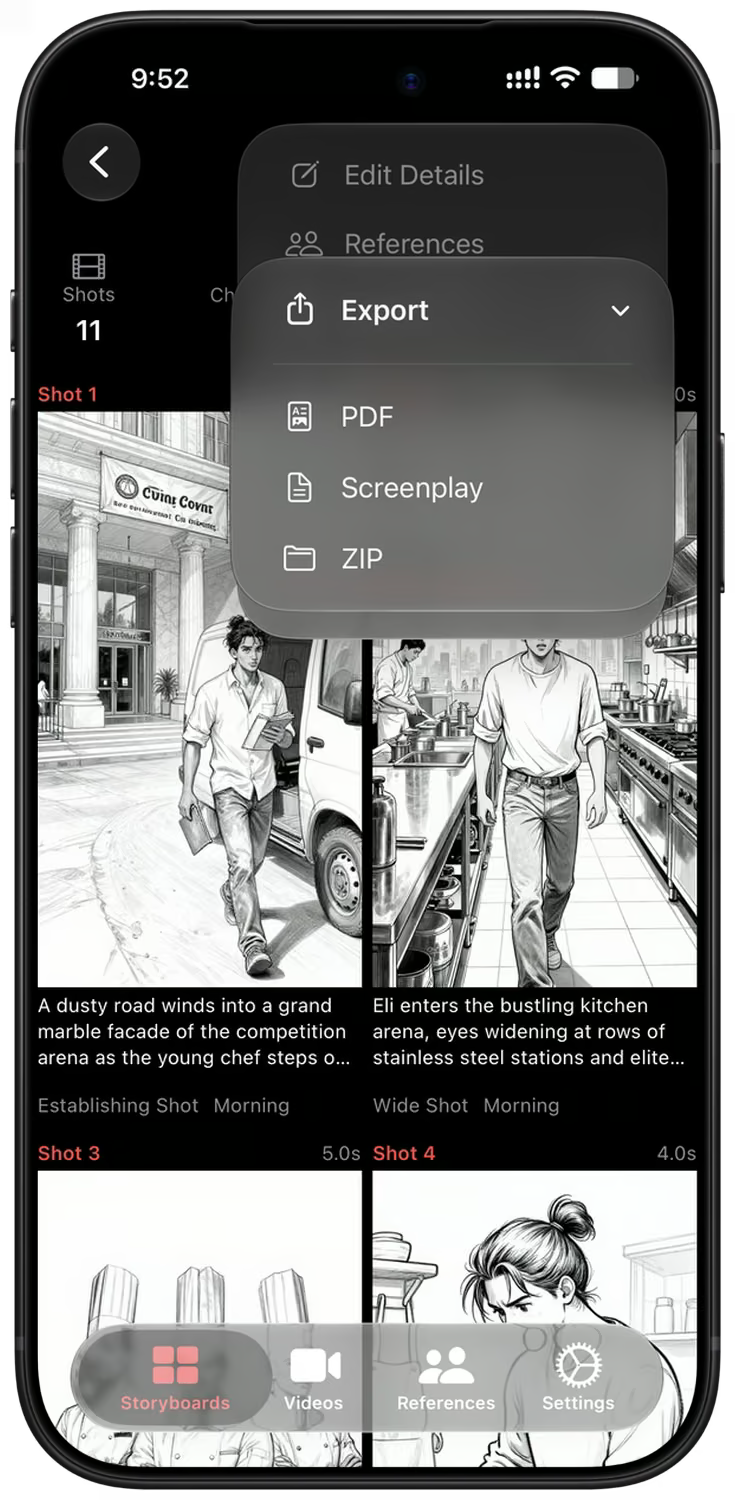
包含 PDF、剧本和 ZIP 选项的分镜导出菜单。 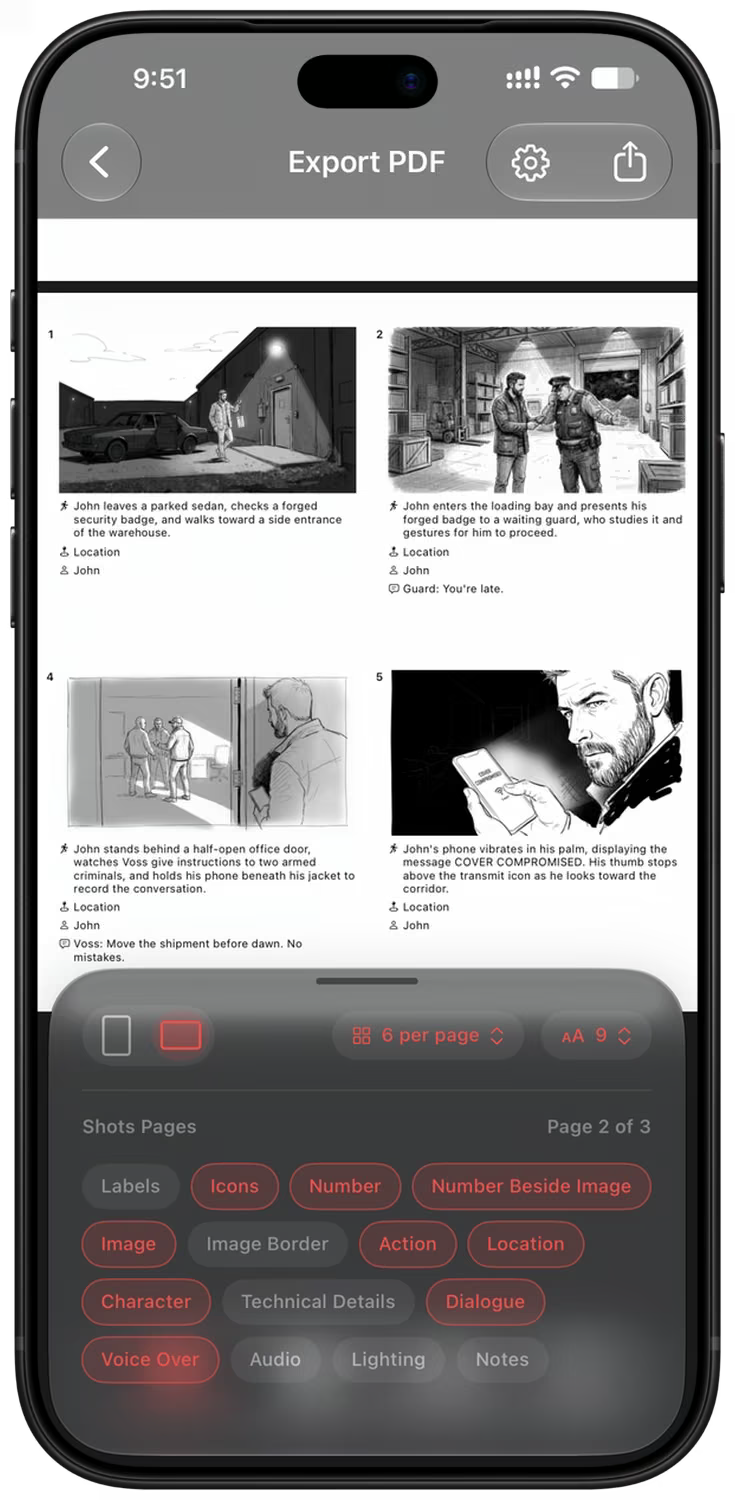
每行包含两个镜头的草图风格分镜脚本的 PDF 导出预览。
常见问题
什么是 Storyboard Creator AI?
Storyboard Creator AI 是一款适用于 iOS 和 macOS 平台的应用程序,旨在帮助用户制作分镜脚本。它将 Gemini 3.8 Flash 和 GPT-5.5 等大语言模型与 Nano Banana 2.1、GPT Image 2、Z-Image、Flux 2 及 Google Imagen 4 等 AI 图像模型相结合,能够将文本描述转化为详细的分镜画面,并在数秒内自动生成相应的图像。
故事板生成过程是如何运作的?
只需描述你的场景或构思——哪怕只是一个词或一句话——AI 就会将其拆解为包含机位角度、镜头运动、光影、角色、场景及对白等细节的镜头,并为每个镜头生成图像。你可以选择生成的镜头数量(范围在 8 到 40 个之间);如果你的构思尚有未明确之处,应用会先提出最多三个后续问题以作补充。
分镜图像是如何生成的?
该应用会根据你的镜头细节(包括构图、摄影机与镜头、运镜、光照、时段、风格、场景及备注)构建结构化的图像提示词。这些提示词连同分镜脚本中附带的角色与场景参考图,会被发送至你选定的图像生成模型,最终生成的画面将返回并应用于该镜头。
如何在不同镜头间保持同一个角色?
使用参考图。“参考图”标签页中包含角色、场景和风格图像,您可以从相册导入、利用 AI 生成或从内置图库中选择。将它们应用于分镜脚本后,每一帧的绘制都会基于相同的面孔和场景。Nano Banana 2.1、Nano Banana 2 Lite、GPT Image 2 和 GPT Image 2 LQ 均支持参考图功能。
我可以自定义生成的图像吗?
是的。您可以重新生成每个镜头以创建不同版本,也可以使用 Nano Banana 2.1 或 GPT Image 2,通过简单的文本指令编辑当前图像。此外,您还可以调整摄像机角度,从不同视角或变焦倍率重新拍摄同一画面;或者从照片库中替换人脸、编写自定义图像提示词,甚至直接上传您自己的图片,而无需进行生成。
今天就开始制作您的下一个分镜脚本
可在 iPhone、iPad 和 Mac 上免费下载。无需绘画基础,几分钟内即可制作出你的首个分镜脚本。